Why your booking data should live on your own site
Hosted booking services hold your customer list, charge per booking, and can change terms at any time. A self-hosted plugin removes all three risks.
Most small businesses that take bookings online rent the software. A monthly fee, sometimes a cut of each booking, and a login to a service that holds the calendar and the customer list. It works, until it doesn’t, and the ways it stops working are worth spelling out.
Three risks you take with a hosted booking service
The customer list isn’t yours. It sits on someone else’s servers. Exporting it is usually possible and usually awkward. Moving to another tool means re-importing, re-verifying, and losing the history.
The bill scales with your success. Per-booking fees and seat commissions mean a good month costs more than a bad one. A theatre that sells out pays the most on its best night.
The terms can change. Prices go up, features move to a higher tier, a product is acquired and sunset. You find out by email and you have a deadline.
None of these is dramatic on its own. Together they are a business dependency you did not ask for.
What self-hosted means in practice
A self-hosted booking plugin runs inside your WordPress site. Concretely, for Schedopia:
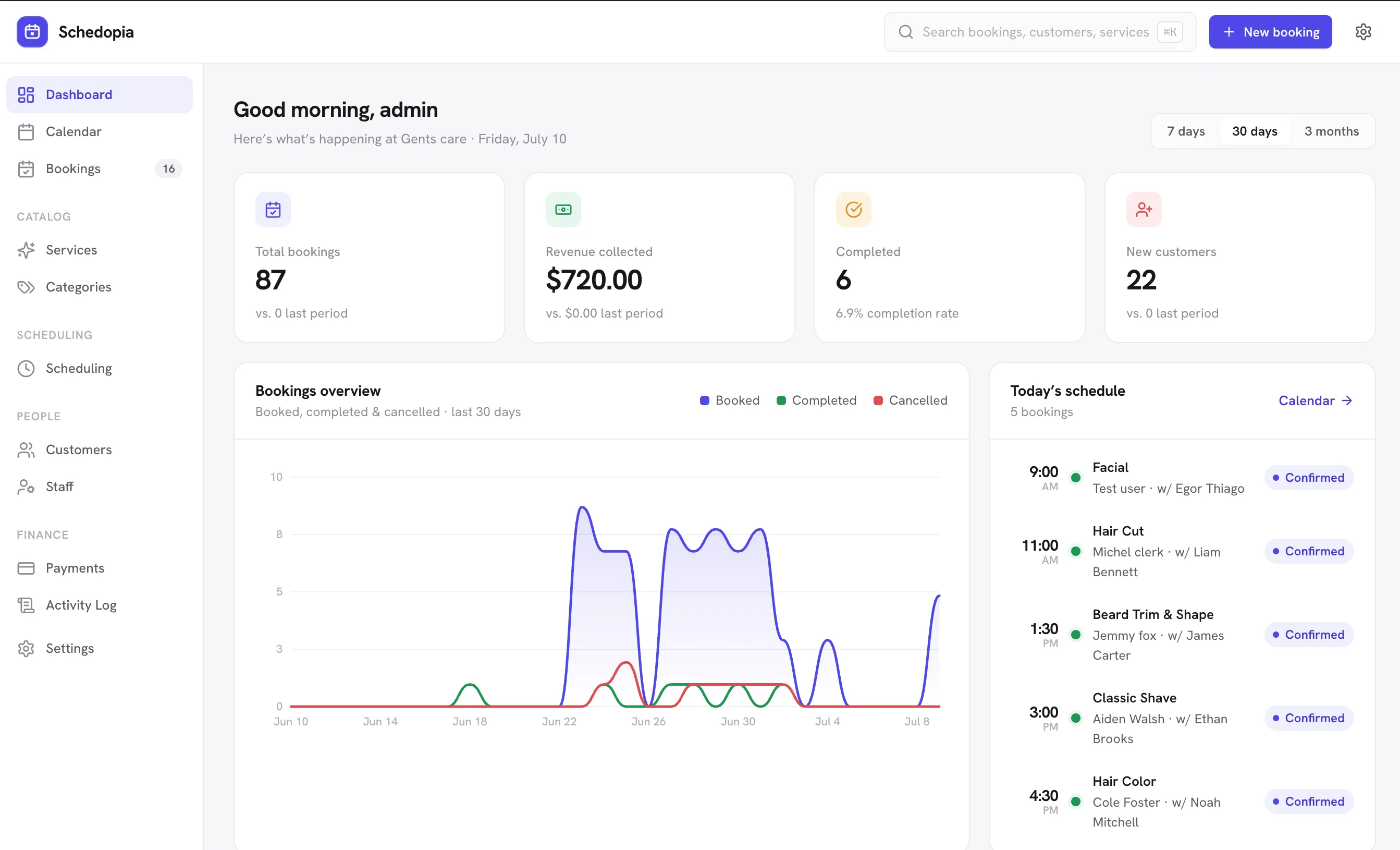
- Bookings, customers, services, staff, payments, venues, seats and events are stored in your database, in relational tables you can query and back up with the rest of your site.
- There is no account with us and the plugin never contacts our servers. It loads nothing from third-party CDNs. The single optional external call is Google reCAPTCHA, and only if you turn it on and supply your own keys.
- It is free and GPLv2. There is no per-booking fee, no seat commission, and no usage limit. If we disappeared tomorrow, the plugin would keep taking bookings.
- Uninstalling preserves your data by default. You choose if and when to delete it.
“But hosted is easier”
It used to be. Hosted services won on setup time and on features that were hard to do inside WordPress: real-time availability, double-booking protection, good emails, calendar sync.
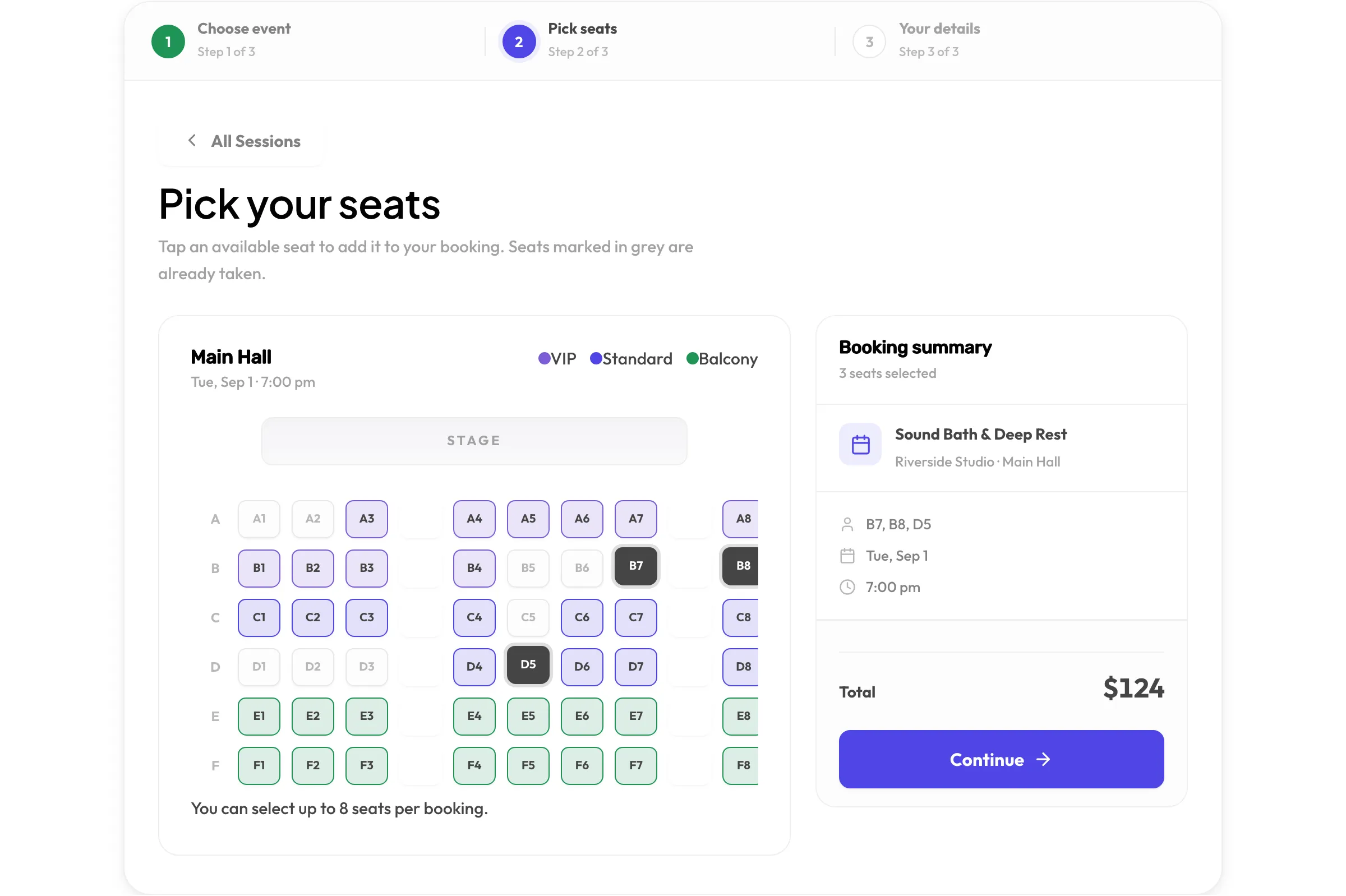
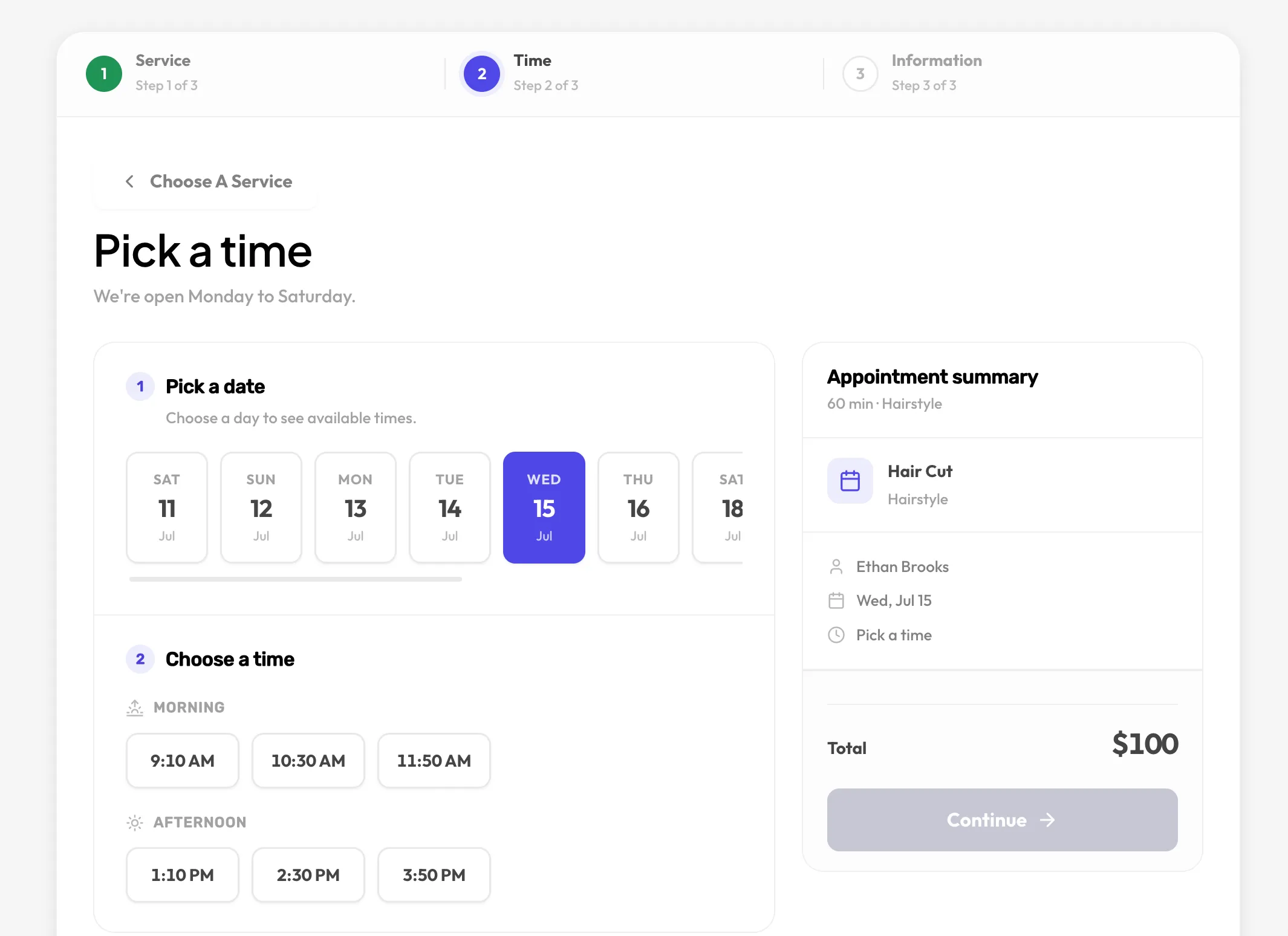
Those are engineering problems, and they are solved problems. Schedopia checks availability against real staff hours and existing bookings, then checks again inside a database transaction when the customer confirms, so two people cannot take the same slot or the same seat. Confirmations, reminders, self-service cancellation and add-to-calendar buttons are built in. A read-only calendar feed puts your schedule in the app you already use. Setup is a wizard and one shortcode.
The convenience gap has closed. What remains is the ownership gap, and it points the other way.
Who this matters most for
Clinics and therapists, whose customer records carry real sensitivity and who would rather not have them replicated to a vendor. Venues and studios, who sell seats in volume and feel per-ticket fees most sharply. Anyone who has been through a forced migration once and does not want to do it again.
What we’d ask of any booking tool
Before you commit, ask four questions:
- Where does my customer data live, and can I export all of it, including history, in one step?
- What do I pay in a month where I do twice as much business?
- What happens to my bookings if the company shuts down or is acquired?
- What does the tool send to third parties without my say-so?
Schedopia’s answers are: your database, in a CSV or straight from the tables; the same as any other month, which is nothing; they keep working; nothing. We think every booking tool should be able to answer that plainly.
If you want to see how it works, install it from WordPress.org. If you want to argue with us about any of this, the contact form reaches the people who wrote it.