Event seating for WordPress
The event seating plugin for WordPress, with a seat map you draw yourself
Lay out a hall once. Customers pick the exact seats they want, see live availability while they choose, and no seat is ever sold twice. Free, self-hosted, and no commission per seat.
- Free forever
- 0% seat commission
- Self-hosted
- Since v1.3.0
What Schedopia’s event seating does
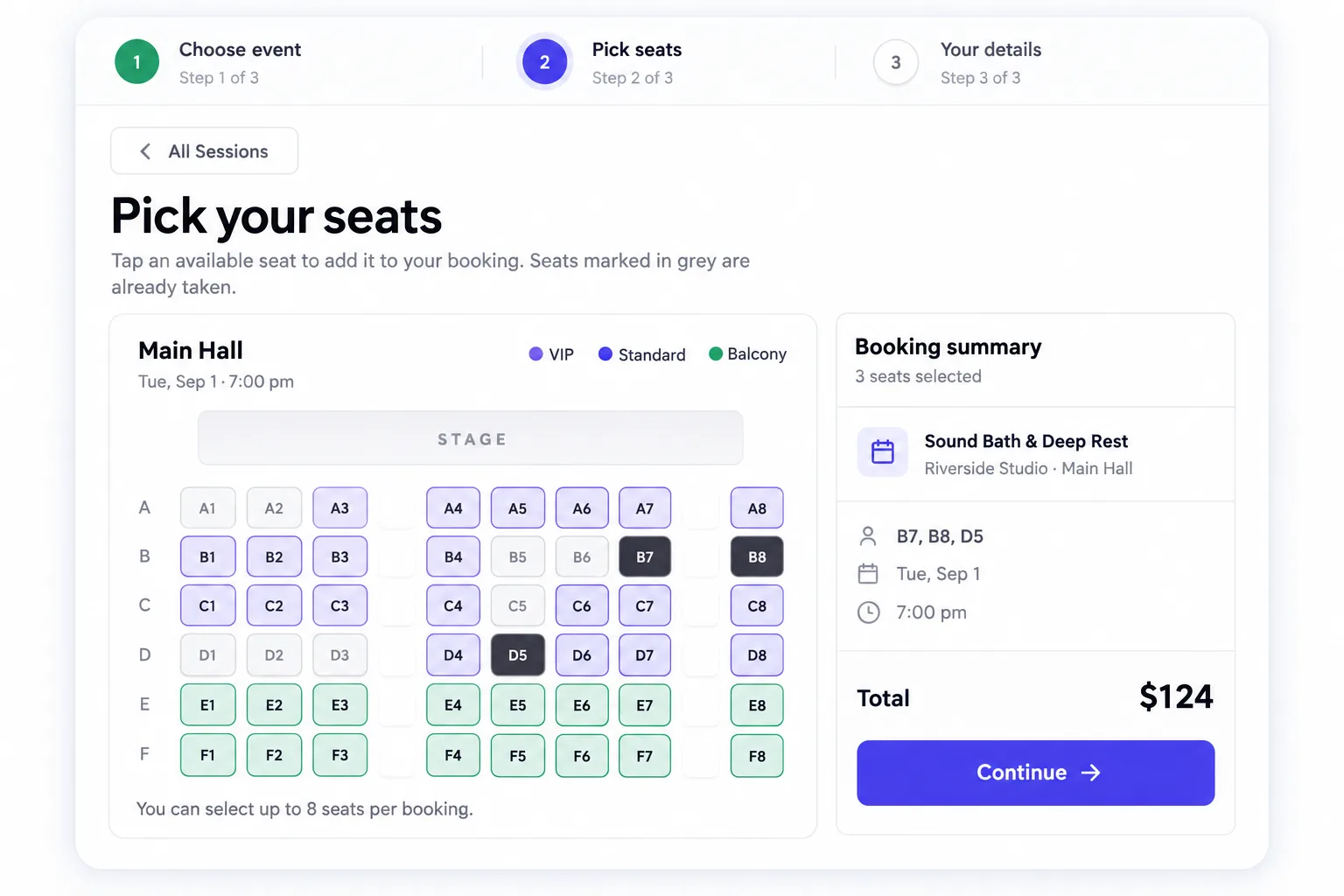
Schedopia is a free, self-hosted WordPress plugin that sells reserved seats for dated events from a seat map you draw in the admin. You describe a venue, the halls inside it and the seats in each hall once, then create as many events in those halls as you like: a play, a screening, a talk, a Saturday class. Seats can be grouped into tiers such as VIP, Standard and Balcony, each with its own colour and price, and any single seat can carry its own price instead. On the public form, customers browse upcoming sessions with a live seats-left count and a “from” price, tap the seats they want on the map, and confirm with their name and email. Each reservation is checked against the seats already taken inside a database transaction, so two people can never hold the same seat. Bookings, customers and payments stay in your own WordPress database, and the plugin takes no commission.
Draw a venue
A seat planner that matches the room you actually have
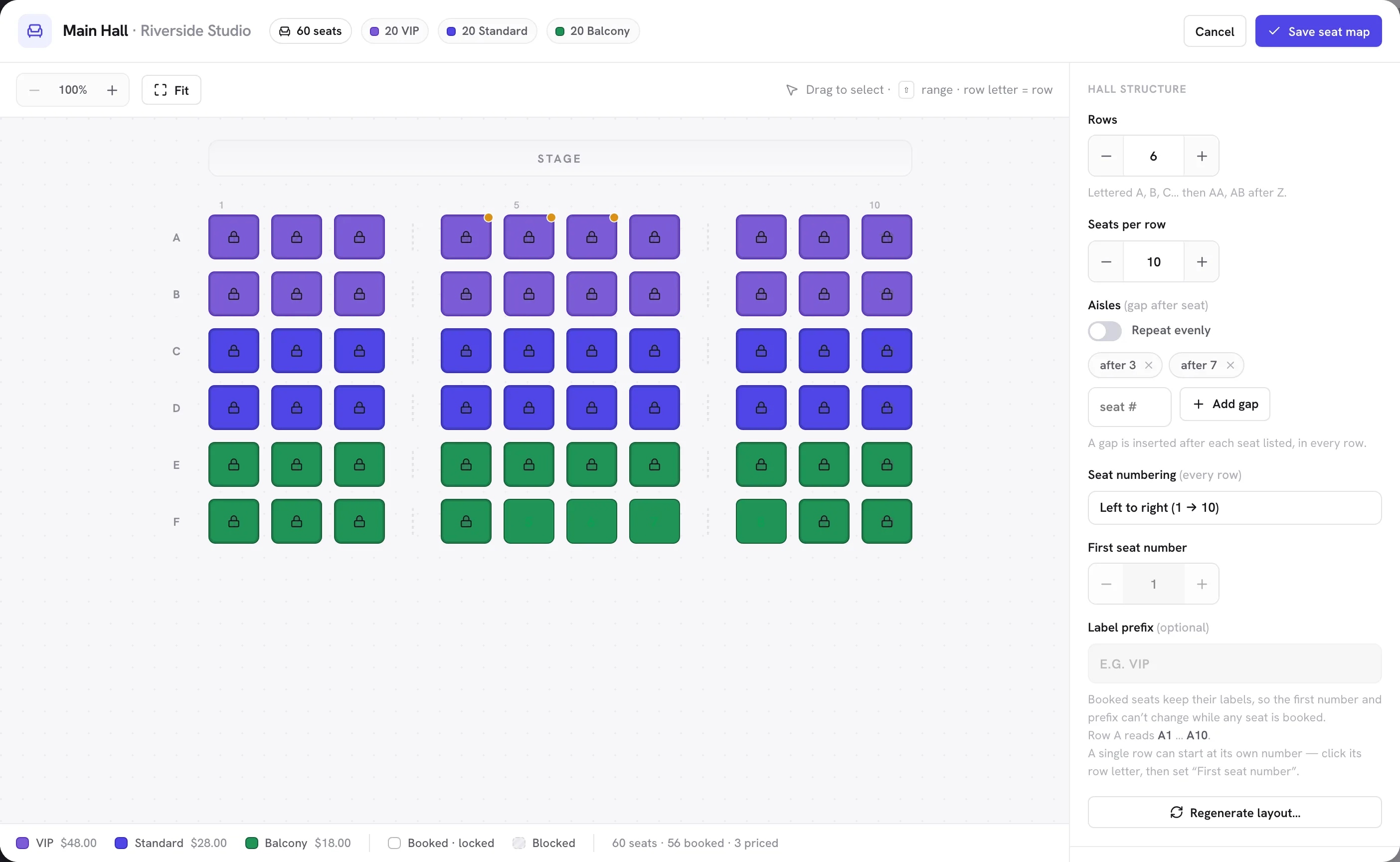
Under Venues & Seats, add a venue, add its halls, and open the planner. What you draw is what customers see when they pick their seats.
Rows, seats and aisles
Set rows and seats per row, add aisles where the gaps are, and generate the grid. Seats are labelled A1, A2, B1 like a real theatre.
Numbering that matches your room
Run numbers right to left, start from any number, add a prefix such as VIP-A1, or give one short row its own first seat.
Switch off a seat
A broken seat or a restricted view is disabled once and shows as unavailable everywhere.
Several halls per venue
Each hall keeps its own layout. Open a second hall on an event when the first sells out.
Seat tiers and pricing
Price the balcony differently from the front row
An event has no price of its own. Every seat carries one, from its tier or set directly, and the events list works out the cheapest on its own.
Tiers with a colour and a price
VIP, Standard, Balcony, or whatever fits. Assign a tier to seats and they take its colour on the map and its price at checkout.
Per-seat overrides
Front-row centre can cost more than the rest of its tier. Give one seat its own price and it wins.
A live “from” price and seats left
The events list shows the cheapest bookable seat and how many remain, and marks an event fully booked on its own.
No per-seat commission
The plugin is free and takes nothing from a sale. Payments are recorded as cash, bank transfer or mark-as-paid.
Reserved seat checkout
Three steps from the events list to a confirmed seat
The same booking form that takes appointments sells seats. Paste [schedopia_booking mode="event"] on a page and the seat flow is live.
Step 1: Choose an event
Every upcoming session is a card: date, venue and hall, duration, seats left and the from price. Sold-out events stay visible.
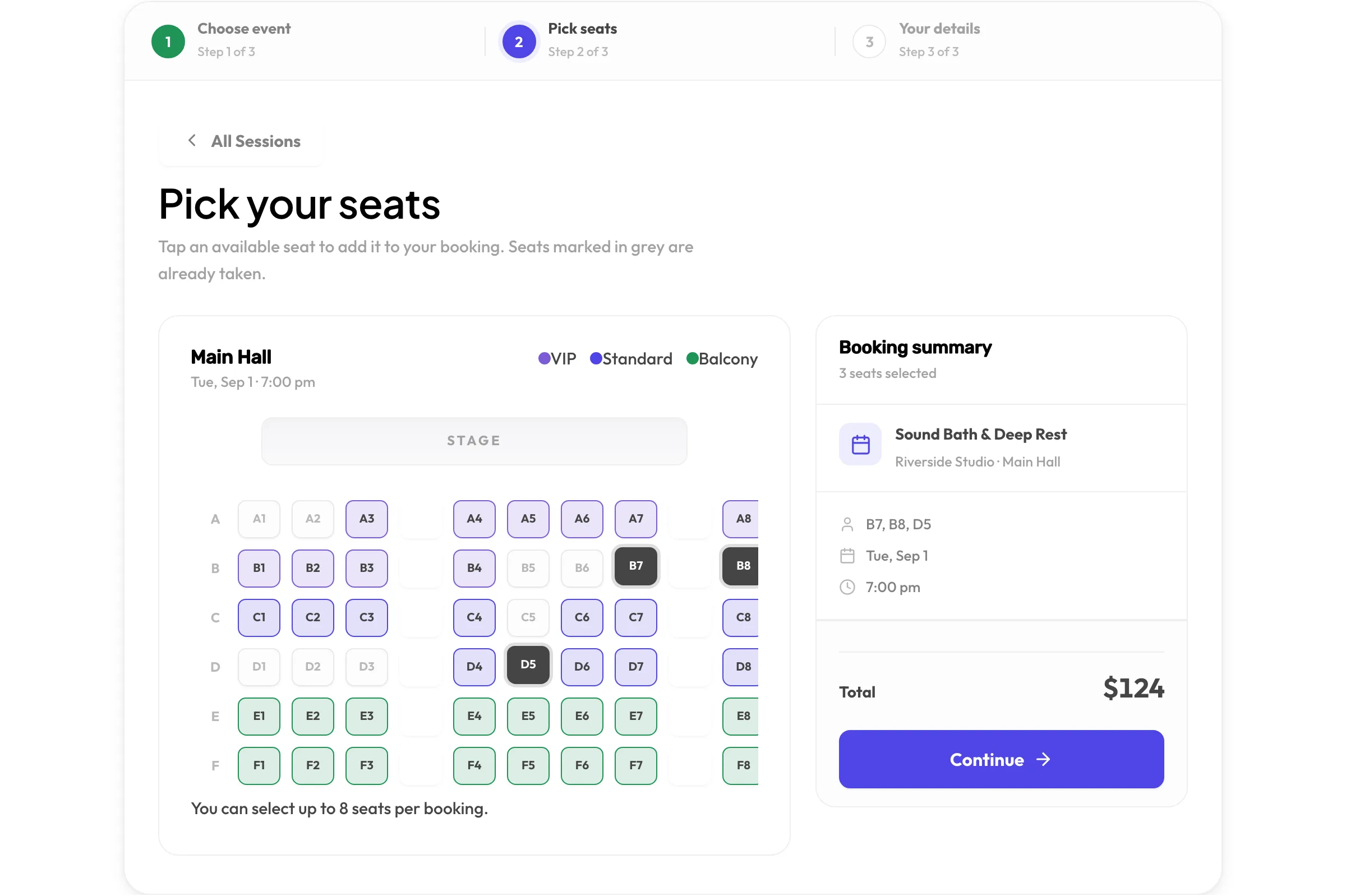
Step 2: Pick seats on the map
The layout you drew, tinted by tier, taken seats greyed out. Each tap adds a seat and its price to the running total, up to eight per booking.
Step 3: Confirm
Name, email and phone. The confirmation page and email list the seats, the time and the total, with add-to-calendar buttons.
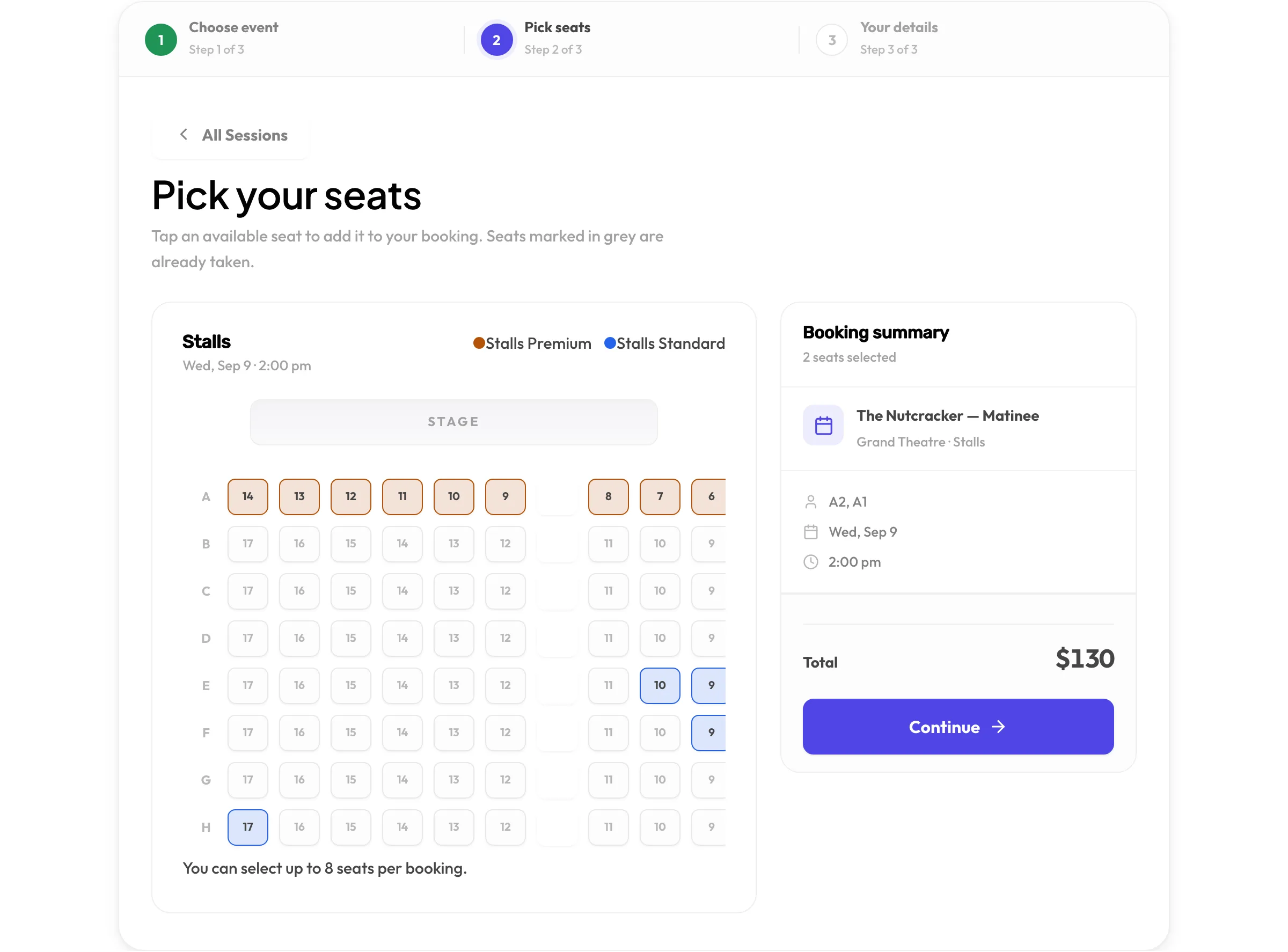
- A seat is reserved once per event. If two people race for the last seat, exactly one gets it.
- Cancelling a reservation frees its seats immediately, from the admin or the customer’s email link.
- Reschedule an event and every active reservation follows, with reminder emails re-armed.
Who it is for
Anywhere the seat matters
If you sell places, not time, this is the mode for you. Run it alone, or alongside appointments on the same site.
Theatres and concert halls
A drawn auditorium with stalls, circle and balcony priced differently, and no seat sold twice on a busy opening night.
Cinemas and screenings
One hall, many showings. Create a screening per time slot and the same seat map carries every one.
Classes and workshops
A bench or a mat per seat. Sell exactly as many places as the room holds and let people see what is left.
Community centres
Several halls under one roof, each with its own layout, hosting different sessions on the same evening.

Sell your first reserved seat today
Install Schedopia from WordPress.org, draw a hall in the setup wizard, and paste one shortcode. No account, no per-seat fee.
- Free from WordPress.org
- No account to create
- No per-seat fee