FreeSince v1.3.0
Booking seats
The same booking form that takes appointments also sells seats. Which flow it shows depends on your business mode and, if you run both, on the shortcode you use.
Putting it on a page
- If your business mode is Events & seats, the plain shortcode shows the seat flow:
[schedopia_booking] - If you run Both, the plain shortcode shows appointments. Add the mode to place the seat flow on its own page:
[schedopia_booking mode="event"]
A page pinned with mode="event" only shows seats while your business mode includes events. If you later switch to appointments only, visitors see “Online booking is unavailable” on that page instead of the appointment form, and administrators see a note saying why.
What the customer sees
1 · Choose an event
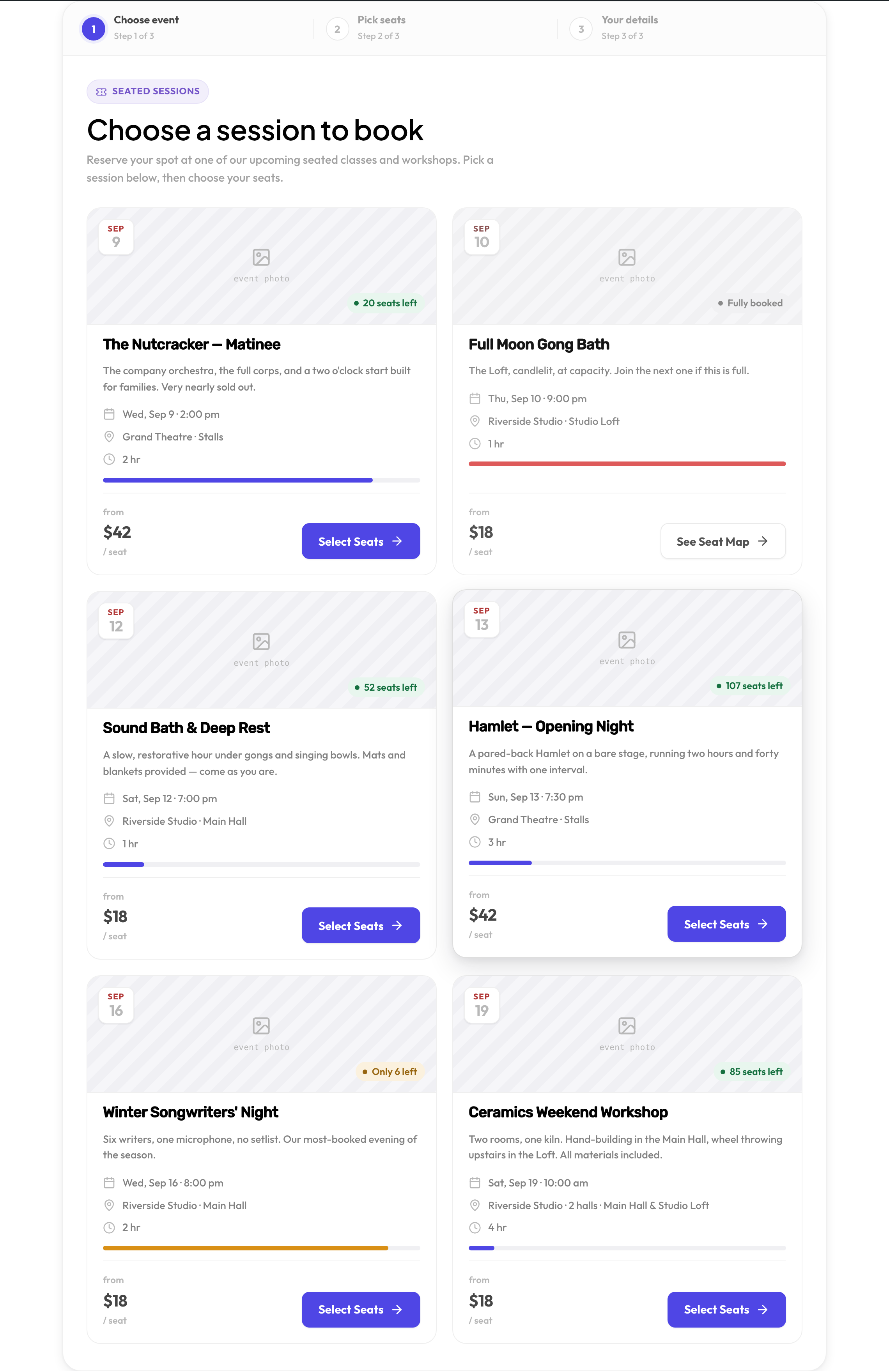
Every upcoming event appears as a card: the date, where it runs, how long it lasts, how many seats are left and the cheapest seat price. A fully booked event stays visible so people know it exists, but can only be looked at.
2 · Pick seats
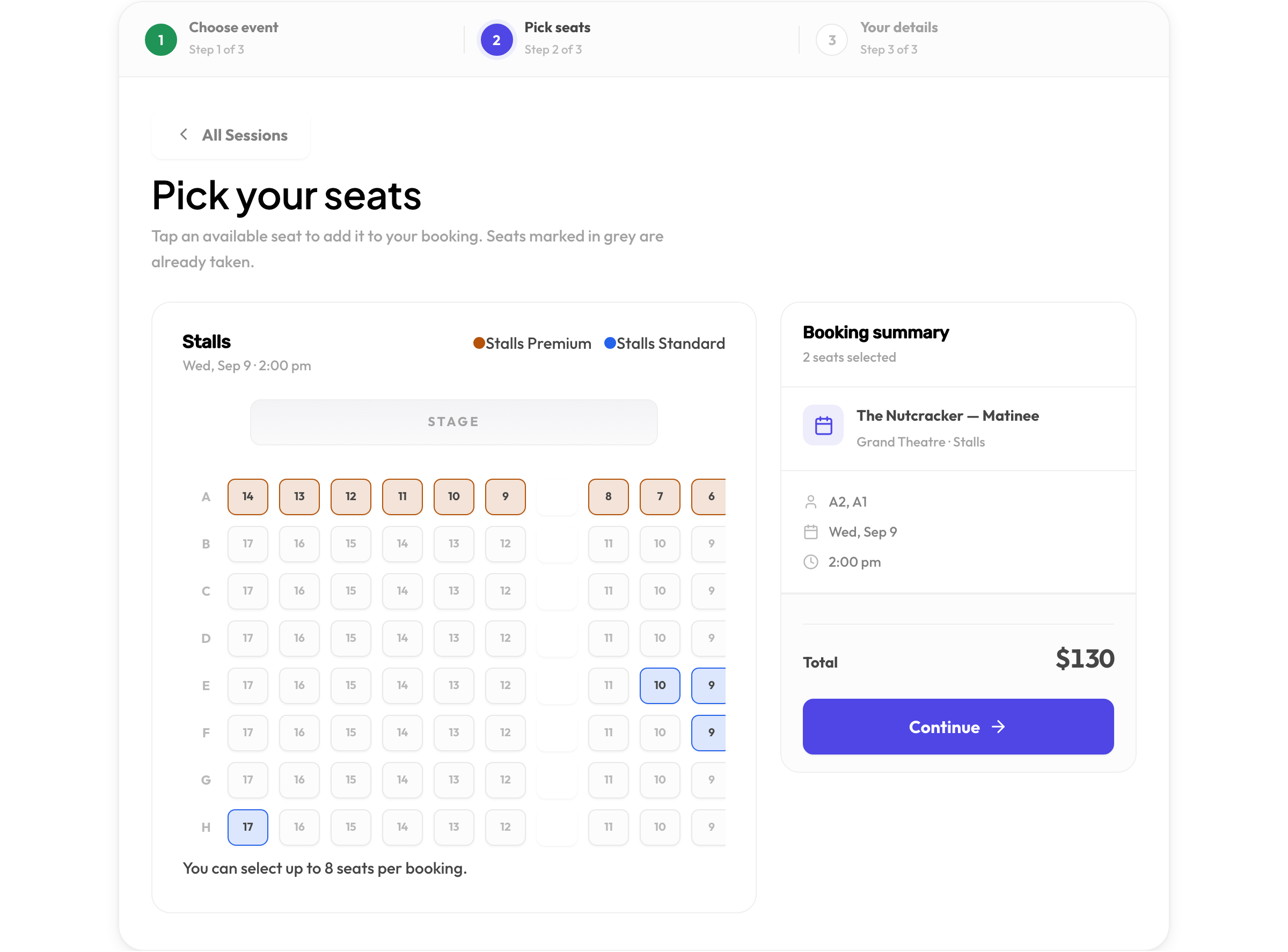
The map is the layout you drew in the planner. Seats are tinted by tier with a legend above, taken seats are grayed out, and each tap adds a seat to the summary with its price. A customer can take up to eight seats in one booking; for a multi-hall event, tabs switch between the halls.
3 · Details
Name, email and phone, then confirm. The confirmation page and the email both list the seats, the date and time, and the total — and the calendar buttons in the email add the event to Google, Outlook or Apple Calendar.
No double-booking a seat
A seat can only be reserved once per event, and the check happens at the database, not just on screen. If two people race for the last seat, exactly one of them gets it and the other is told the seat is no longer available — before anything is saved for them.
Booking seats for a customer
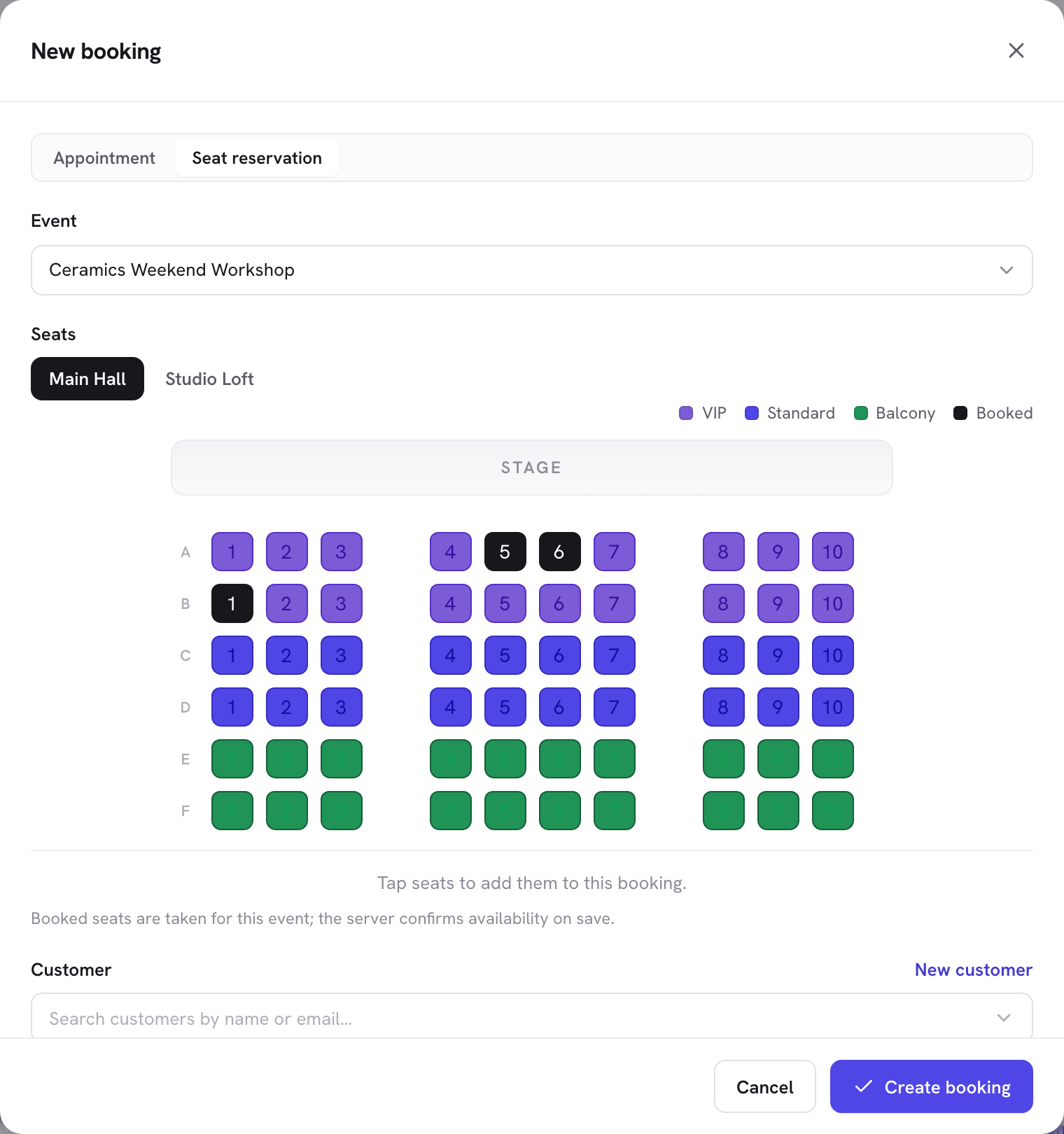
In Bookings, choose New booking and switch to Seat reservation. Pick the event, tap the seats on the same map customers use, choose the customer, and save. The reservation shows in the list with the event name and seat count, and opens in the drawer as a reservation rather than an appointment.
Cancellations
Canceling a seat reservation — from the drawer, or by the customer through their email link — frees the seats immediately for someone else. Completed bookings keep their seats as history.
Want the customer-facing overview of seat booking? See the event seating page.