FreeSince v1.2.1
Spam protection
A public booking form is a public form, and bots will find it. Schedopia blocks automated submissions before they ever become bookings — with nothing for you to configure.
Always on, no setup
Two checks run on every submission from the public form. Both are active from the moment you install the plugin, and neither is visible to real customers.
| Check | How it works |
|---|---|
| Decoy field | The form contains a hidden field that a human never sees or tabs into. Bots fill in every field they find — so anything arriving with that field filled is rejected. |
| Minimum fill time | Real people take a few seconds to choose a service, pick a time and type their details. A submission that arrives faster than a human plausibly could is rejected. The timing is signed by your site, so it cannot be faked. |
Blocked submissions never reach your database — no booking row, no customer row, no email. Your bookings list stays clean rather than needing to be tidied up.
Optional: Google reCAPTCHA v3
For a stricter screen you can add reCAPTCHA v3. It is off by default and stays off until you both switch it on and supply your own keys.
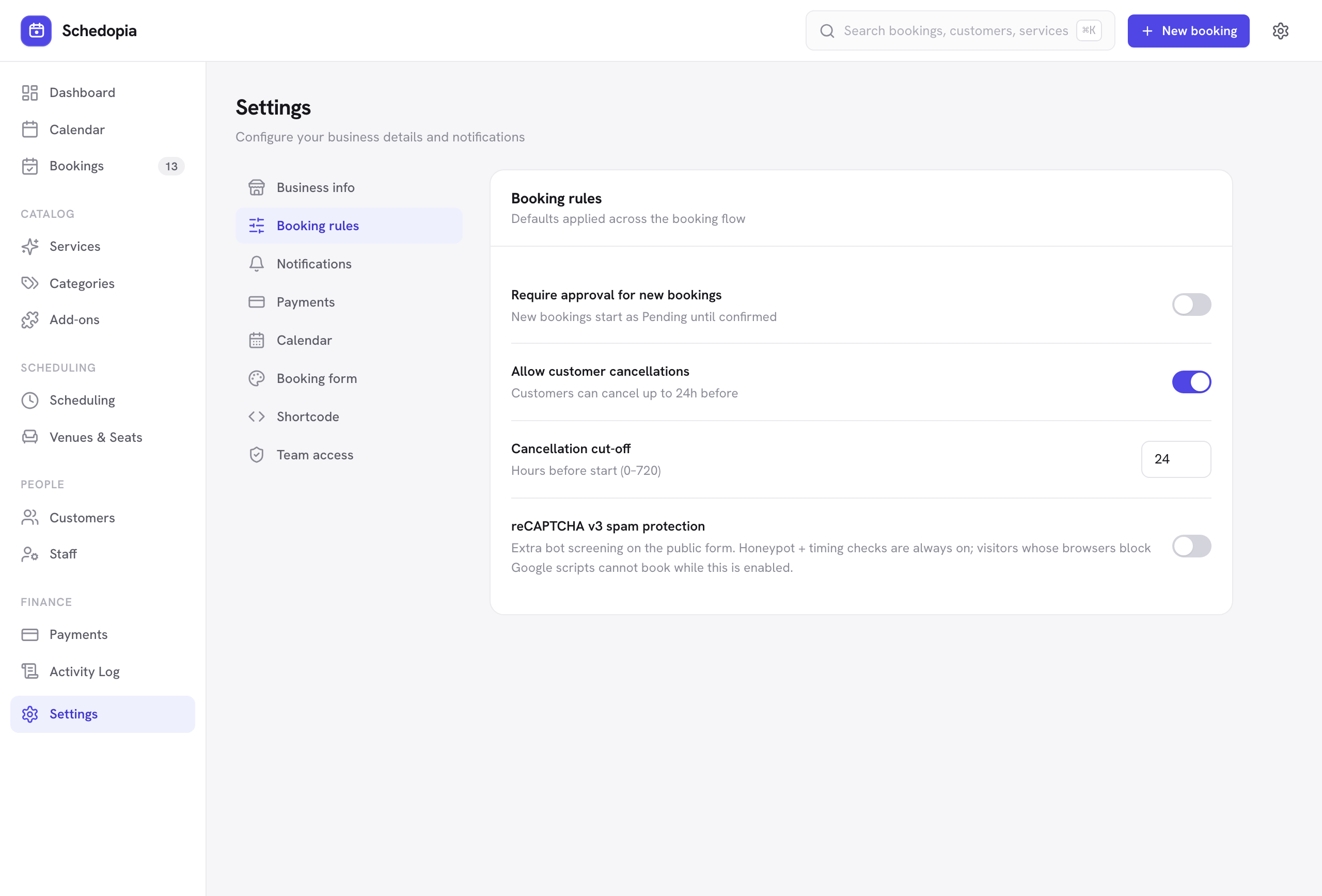
- Get a v3 key pair
From the Google reCAPTCHA admin console. Make sure you choose v3, not v2 — the two are not interchangeable. - Go to Settings → Booking rules
and turn on reCAPTCHA v3 spam protection. - Paste both keys
The site key and the secret key. The secret is stored server-side and is never exposed publicly. - Save, then test the form yourself
Make a real booking to confirm everything still goes through.
Turning reCAPTCHA on means your booking page loads a Google script and sends each submission's token and the visitor's IP address to Google. It also means visitors whose browsers block Google scripts — privacy extensions, some ad-blockers — cannot complete a booking while it is enabled.
The built-in decoy and timing checks need no external service and block the large majority of automated traffic. Try them alone first.
What Schedopia sends to Google
Only when you have enabled reCAPTCHA: the reCAPTCHA response token and the visitor’s IP address, to obtain a spam score. No booking details and no customer data are sent. If you never enable it, your site makes no request to Google at all.
If Google is unreachable
Should the verification service be down or unreachable, Schedopia lets the booking through rather than turning away a paying customer. The decoy and timing checks still apply, so the form is never left unprotected.
Rate limiting
Separately from all of the above, Schedopia rate-limits its public endpoints, so a single source cannot hammer your site with booking attempts. This needs no configuration.
Bookings per hour
Schedopia also limits how many new bookings one connection can make on the public form in an hour: 20 by default, which real customers rarely reach. It is on by default. Under Settings → Booking rules, Limit bookings per hour switches it on or off, and while it is on, Bookings per hour sets the number, from 1 to 100. Bookings you make in the admin are not counted.
Since 1.5.2, a site behind Cloudflare or behind its own reverse proxy counts each visitor separately, by the visitor’s own address. Behind another proxy or CDN service, visitors can still share one count. If real customers start hitting the limit, for example because many of them book from one shared network, raise the number or switch Limit bookings per hour off.