FreeSince v1.0.0
Adding the booking form to your site
The booking form is what your customers actually use. Adding it is one shortcode on one page — it works in every editor and adapts to whatever width you give it.
Put it on a page
- Create a page
Call it something obvious, like “Book an appointment.” - Add the shortcode
[schedopia_booking] - Publish
and visit the page. That is the whole setup.
The shortcode is also shown, ready to copy, under Settings → Shortcode.
Which editors it works in
| Editor | How |
|---|---|
| Block editor (Gutenberg) | Add a Shortcode block and paste it in. |
| Elementor | Use the Shortcode widget. |
| Classic editor | Type it straight into the content. |
| Other page builders | Any widget that renders shortcodes will work. |
The services, events, categories, staff and venues lists also come as Gutenberg blocks and Elementor widgets, under a Schedopia group. The booking form itself always goes in by shortcode.
Only one booking form can appear on a page. If you add the shortcode twice, only the first renders, because two copies would fight over the same state. Visitors see nothing in place of the second; administrators see a short notice.
Shortcode options
The plain shortcode offers everything you have. Add an option to narrow it:
| Shortcode | What the form does |
|---|---|
[schedopia_booking service="haircut"] |
Opens with that service already chosen. |
[schedopia_booking event="7"] |
Opens on that event’s seat map. |
[schedopia_booking services="haircut,colour"] |
Offers only those services. |
[schedopia_booking category="hair"] |
Offers only the services in that category. |
[schedopia_booking staff="3"] |
Offers only that staff member’s services. |
[schedopia_booking events="7,9"] or venue="main-hall" |
Offers only those events, or the events at that venue. |
[schedopia_booking mode="appointments"] or mode="events" |
Takes only appointments, or only event seats, when you run both. |
Services, categories, events and venues can be named by ID or slug; staff by ID only. When a visitor arrives from one of the lists, their choice wins over the page’s options for that visit. Every option is ready to copy under Settings → Shortcode.
What the customer sees
Three steps, with a progress indicator across the top. For an appointment they are Service & staff, Choose time and Your details. For an event they are Choose event, Pick seats and Your details; see Booking seats.
1 · Service & staff
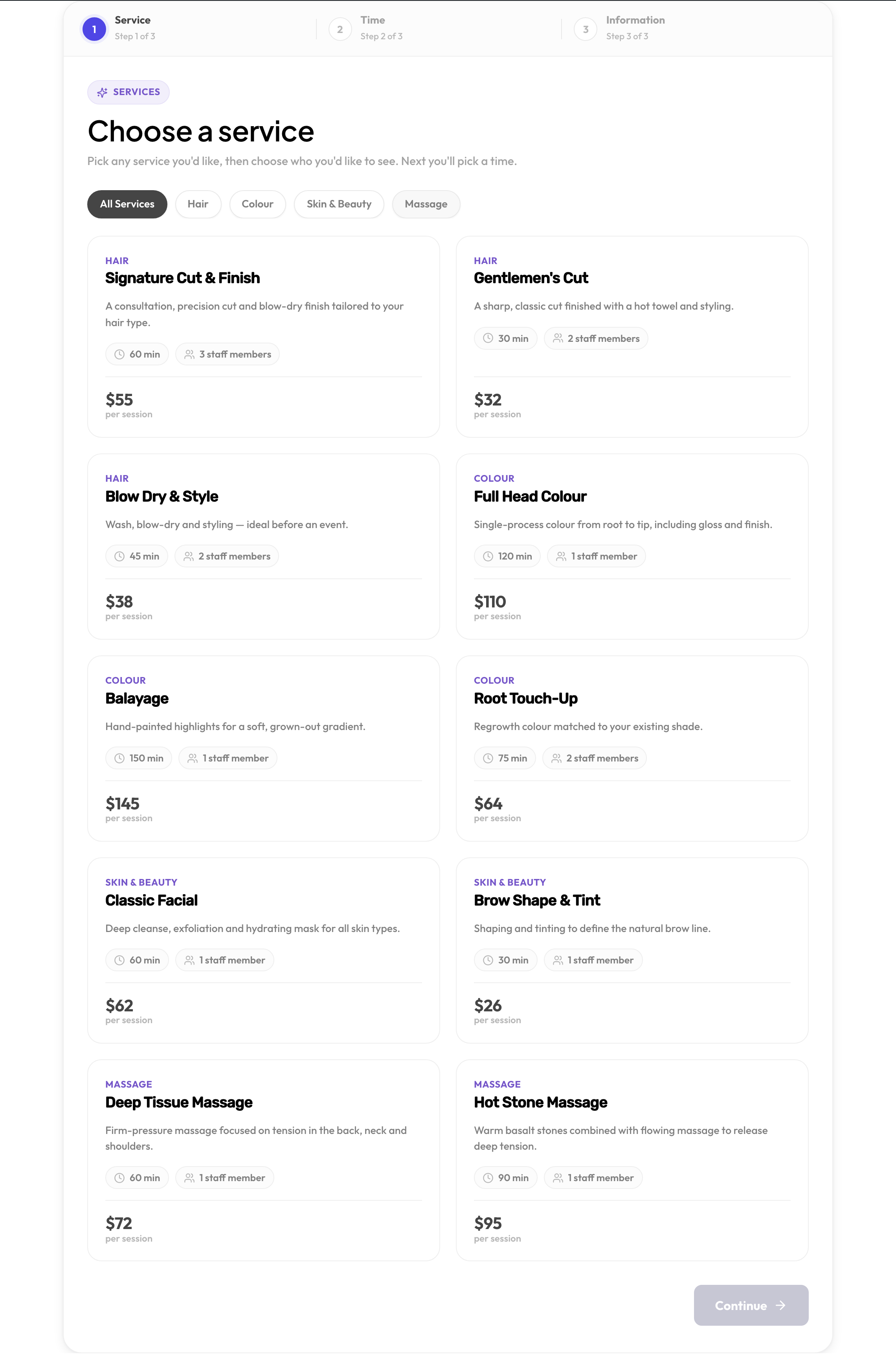
Services are shown as cards with their duration, price and how many staff offer them. If you use categories, filter chips appear across the top. Picking a service reveals the staff choice, and any add-ons attached to it.
2 · Choose time
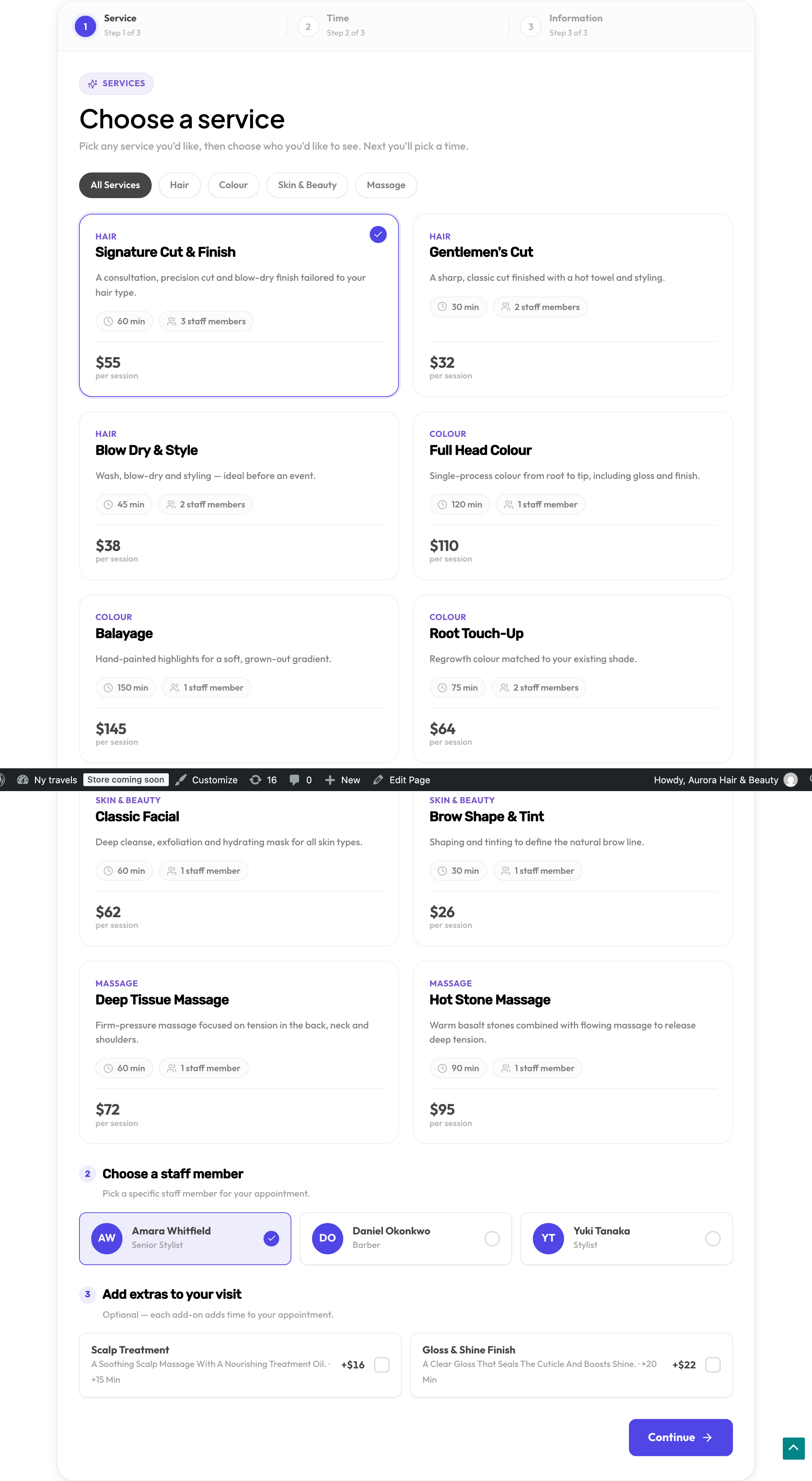
A date strip runs across the top, and the available times for the chosen day are grouped into morning, afternoon and evening. Only slots that genuinely fit the whole appointment appear. A running summary of the booking and its total stays visible alongside.
3 · Your details
Full name, Email and Phone are required; Anything we should know? is optional. A signed-in customer finds their details already filled in. Depending on your settings, the step can also show:
- A checkbox to agree to your cancellation policy and terms, linked to your terms page if you chose one. It is on by default; turn it off with Require agreement before booking under Settings → Booking rules.
- Create an account, when customer accounts are on and set to Customer chooses.
- Book for another person, for a signed-in customer booking on someone else’s behalf. The booking is in that person’s name, and the customer who made it gets their own copy of the booking email, and of the cancellation if they cancel it.
On submit the booking is created, the customer sees a confirmation with their reference number, and their confirmation email goes out.
On phones
The form is mobile-first and sizes itself to its container rather than the browser window — so it looks right in a narrow column, a sidebar or a full-width page without any configuration.

Nothing to book
If no service is bookable yet, the form shows Online booking is unavailable and a short message instead of an empty shell. That usually means you have no active services, or none of them has a staff member assigned — see what to check.