FreeSince v1.0.0
Payments
Schedopia records what customers have paid you. It is a ledger, not a checkout — money changes hands in person or by transfer, and you note it here so every booking shows its true balance.
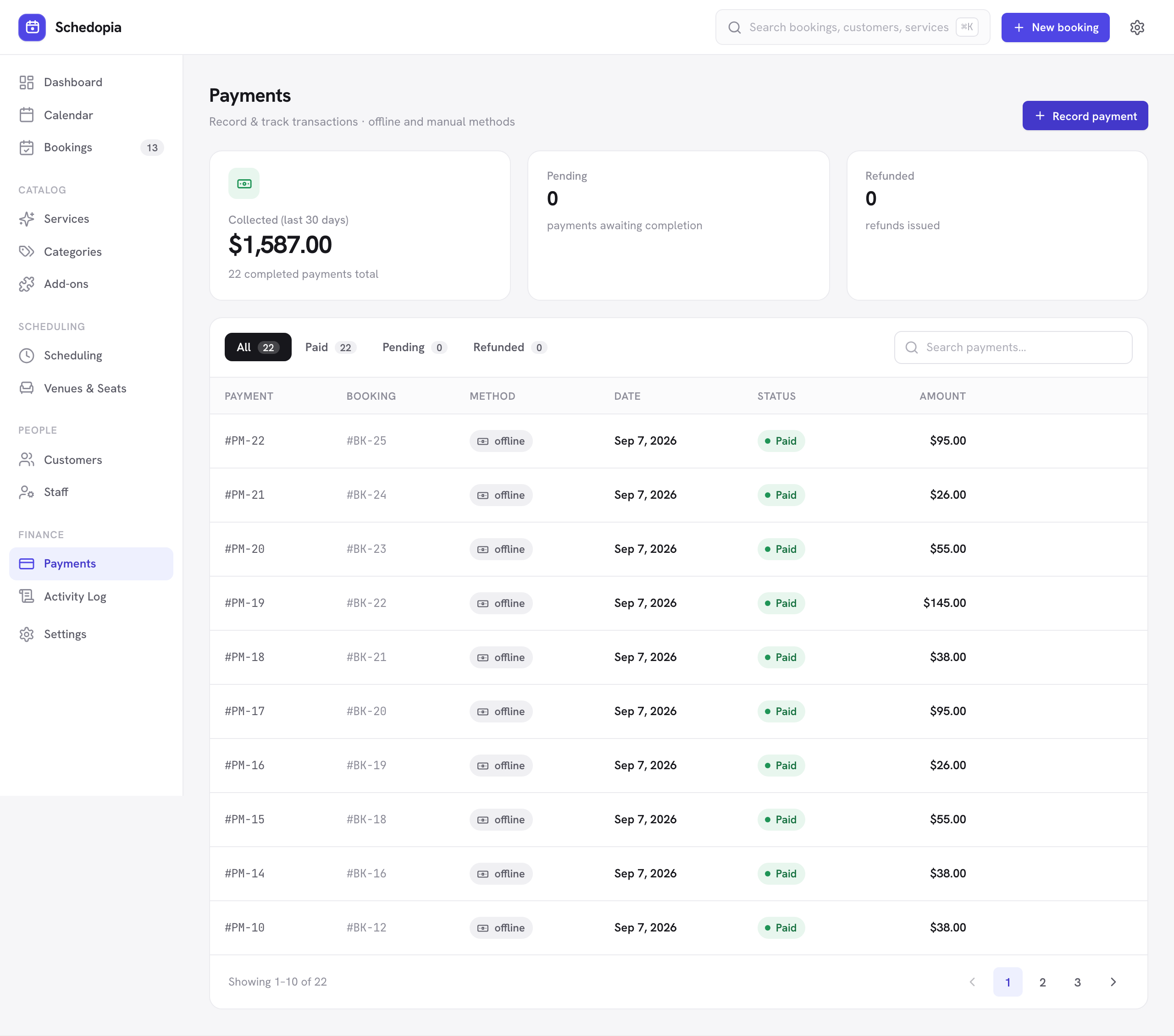
How payment status works
You never set a booking to “paid.” Schedopia works the status out from the payments you have recorded against it, compared to the booking total:
| Shown as | When |
|---|---|
| Unpaid | Nothing has been recorded yet. |
| Paid | Recorded payments cover the booking total. |
| Refunded | A recorded payment has been refunded. |
Because it is derived rather than stored, the status can never drift out of step with the money. Add a payment and the booking becomes paid; refund it and it does not.
Recording a payment
- Open the booking
from the bookings list or the calendar. - Click Record payment
in the payment section of the drawer. - Enter the full amount
A booking is either paid in full or unpaid, so Schedopia accepts only the booking’s total, and one payment per booking. There is no method to pick; every payment is recorded as offline. - Add a reference
saying how it was paid, such as cash, bank transfer or a receipt number, if it helps you reconcile later.
Automatic recording on completion
By default, marking a priced booking as completed records a full payment for it automatically. For most in-person businesses this is exactly right: the appointment happened, the customer paid on the way out, and you should not have to type it twice.
If you take payment separately from delivering the service, switch it off under Settings → Payments. Automatically recorded payments can be refunded from the Payments screen like any other.
Refunds
Recording a refund against a payment reverses it. The booking’s payment status updates accordingly. As with everything here, this records what happened — moving the money is something you do in your bank or card terminal.
Turning payment tracking off
If you do not want to track money in Schedopia at all — you invoice separately, or your services are free — switch payment tracking off under Settings → Payments. New payments can then no longer be recorded, by hand or on completion, while past ones can still be refunded. The Payments screen and the payment details on bookings stay where they are.
Pro will add online payment gateways, so customers can pay while booking, along with deposits and partial payments. Pro is not on sale yet — today Schedopia records offline payments only.