Free
Customers
Every booking belongs to a customer record. Schedopia builds this list for you as bookings come in, so it stays accurate without any data entry.
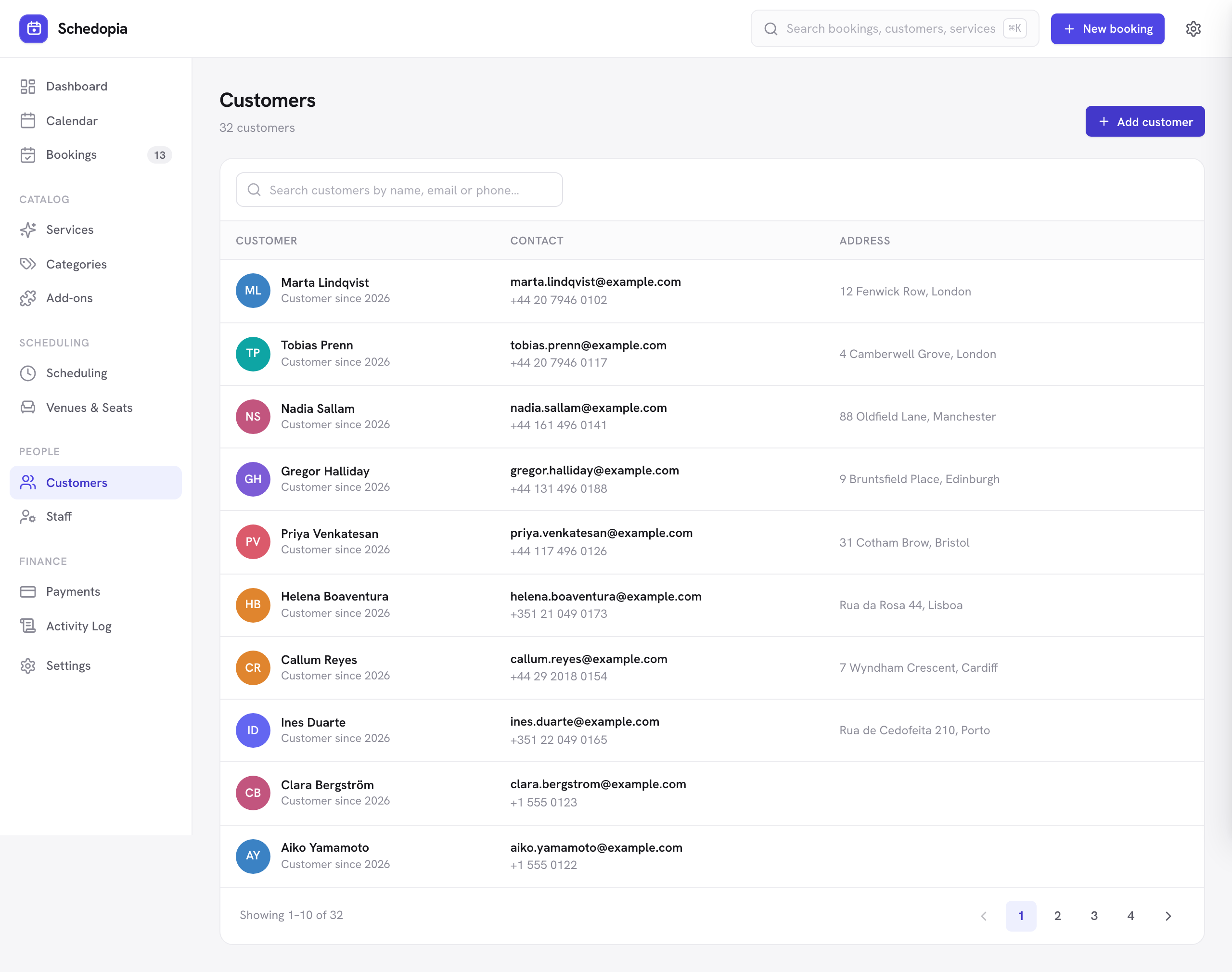
How customers are created
When someone books through the public form, Schedopia looks for an existing customer with that email address. If it finds one, the booking is attached to them; if not, a new customer is created. That means a returning customer accumulates a history rather than appearing several times.
You can also add customers yourself — either from this screen, or inline with New customer while creating a booking.
Matching is by email address. A customer who books once as sam@example.com and later as samantha@example.com will appear as two records. To fold the duplicate into the right record, open each of its bookings and use Move to another customer (administrators only), then delete the empty duplicate.
What is stored
Name, email address and phone number, which the booking form collects, plus an address if you add one yourself, and nothing more. Schedopia does not track behavior or build a profile.
Booking history
Open a customer to see every appointment they have ever had, in any status. It is the quickest way to answer “when was she last in?” or “has he canceled before?” before you pick up the phone.
Editing and deleting
Editing a customer updates their details everywhere, including on existing bookings — so correcting a mistyped email fixes it for future notifications too.
You can delete a customer who has no bookings, such as a duplicate or a test entry. Schedopia refuses to delete a customer who has bookings, so the history and revenue figures behind them stay intact.
Deleting a customer hides the record but does not erase it from the database, and a customer with bookings cannot be deleted at all. Schedopia has no tool for erasing one person's data in this release, so if a customer asks you to erase theirs, overwrite the details on their record. Note that this is your obligation to fulfill as the site owner — Schedopia stores everything on your own server and sends it nowhere else.