Free
The calendar
The same bookings as the list, laid out against time. This is the view to use when you want to see how a day actually runs — where the gaps are, who is busy, and what is coming next.
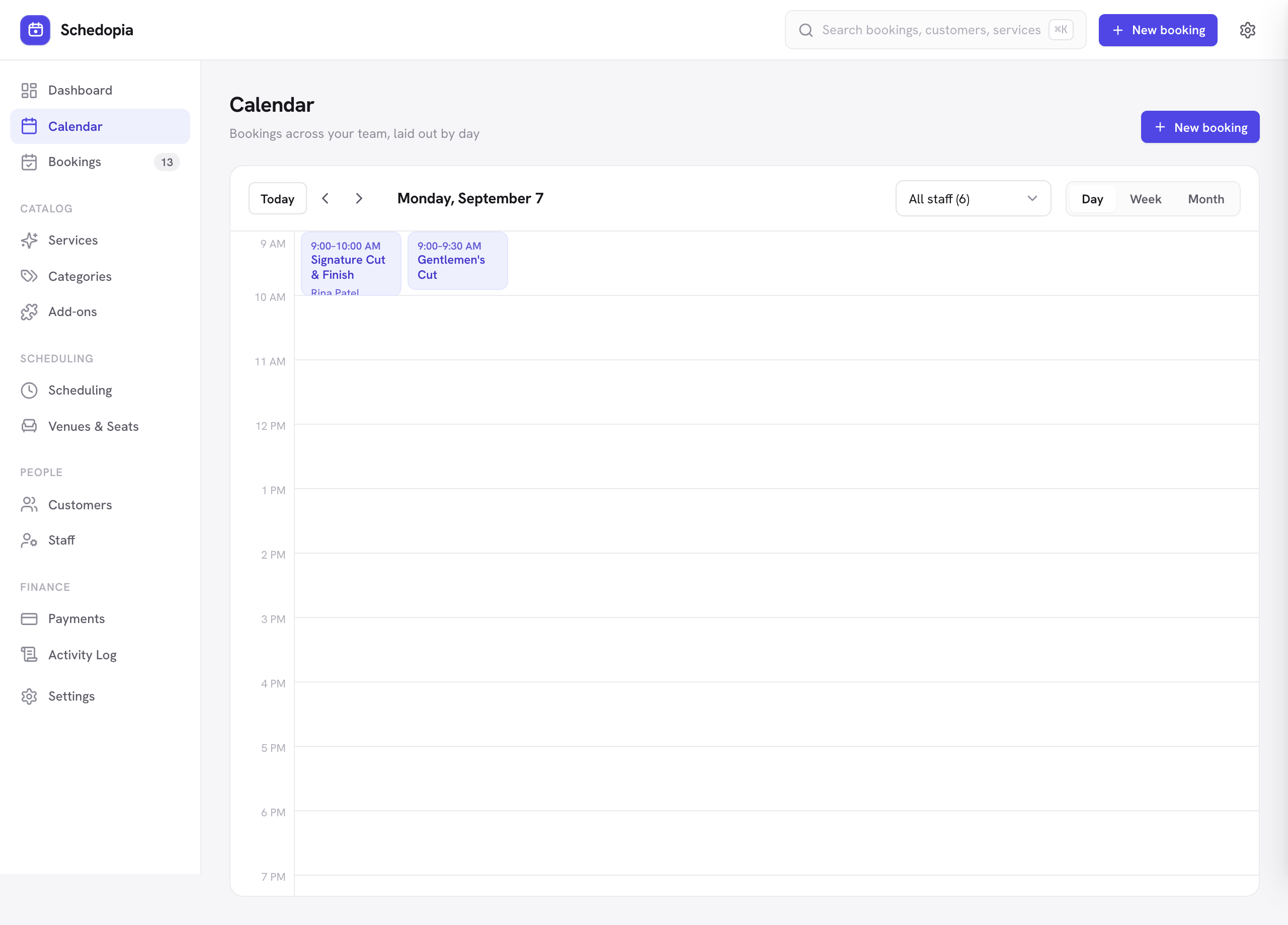
Moving around
- Switch between Day, Week and Month views.
- Step back and forward with the arrows, or jump straight back with Today.
- Filter to a single staff member to see one person’s schedule on its own.
Reading the calendar
Each block is one booking, positioned by its start time and sized by its real duration — service plus any add-ons. Blocks are colored by status, so a pending, completed or no-show booking is visually distinct from a confirmed one at a glance. Canceled bookings are left off the day and week views, so freed time looks free; the month view still lists them.
Click any block to open the same booking drawer as the list view, with the full record and the status actions.
If two bookings appear side by side, they genuinely overlap — which is only possible when they belong to different staff members, to a service whose capacity is greater than one, or to seat reservations for the same event. Schedopia will not let the same person be double-booked.
Buffers on the calendar
The blocks show the appointment itself. Buffer time is held free around it, which is why you may see a gap that cannot be booked even though nothing appears to occupy it — that is the turnaround you configured on the service. See Buffers & capacity.
Seeing your bookings elsewhere
To have these appointments show up alongside the rest of your schedule in Google Calendar, Outlook or Apple Calendar, turn on the read-only calendar feed.