FreeSince v1.2.0
Customer self-service cancellation
Customers can cancel their own booking from a link in their email — no account, no login, no phone call to you. You decide whether it is allowed at all, and how close to the appointment the link keeps working.
How it works for the customer
- They open the link in their email
Included in the pending, confirmation and reminder emails. - They see their booking
Service, staff member, date and time — so they can be sure it is the right one. - They confirm
Nothing changes until they explicitly confirm; simply opening the link cancels nothing. - It is done
The booking is canceled, the slot is freed immediately, and the cancellation email goes out exactly as if you had canceled it yourself.
Customers with an account can also cancel from My bookings, under the same rules below.
Turning it on and off
Both controls live under Settings → Booking rules.
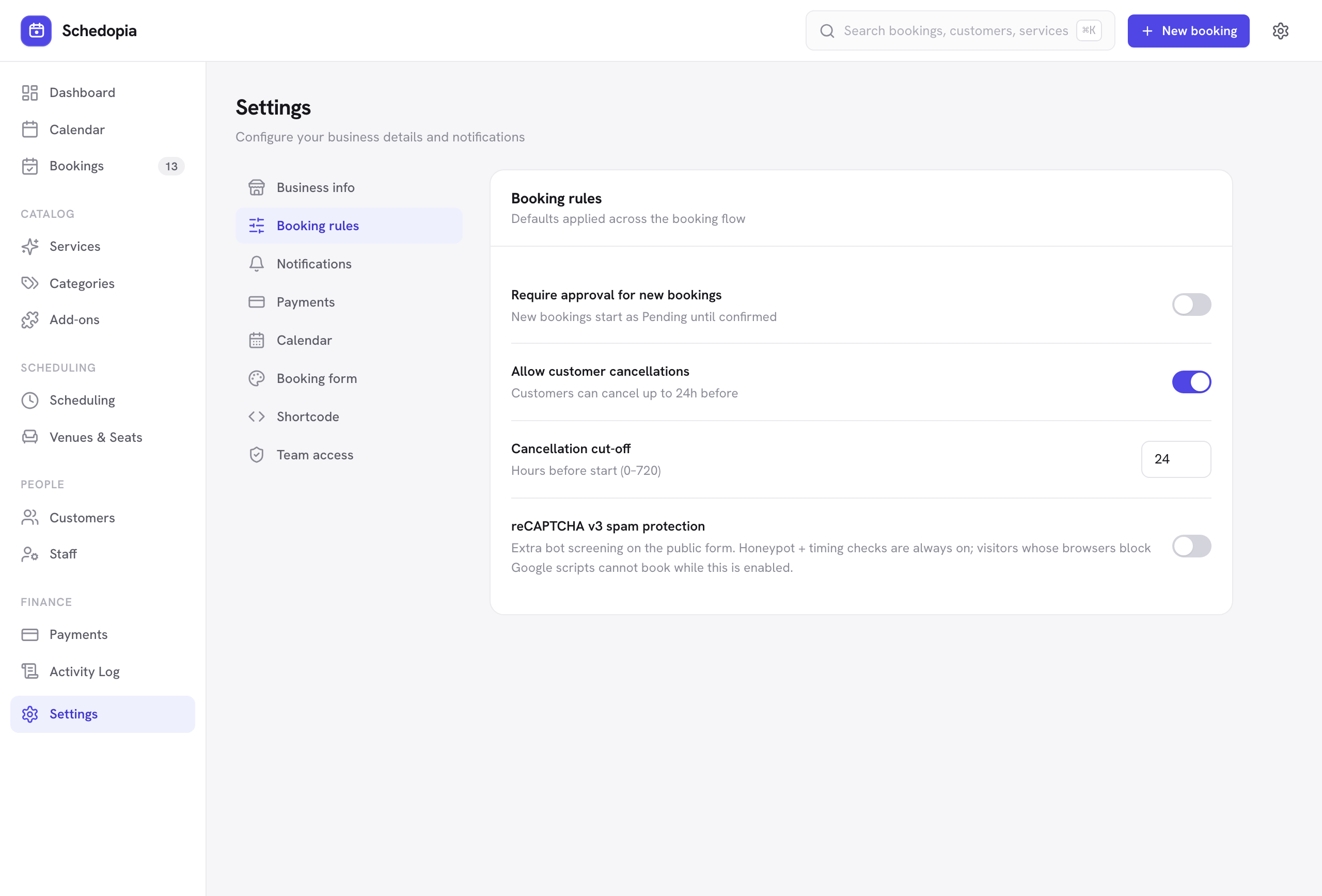
| Setting | What it does | Default |
|---|---|---|
| Allow customer cancellations | Switch off and no cancellation link is included in any email, and signed-in customers can no longer cancel from My bookings either. Customers then have to contact you. | On |
| Cancellation cut-off | How many hours before the start time the link, and the cancel button on My bookings, stop working. Set 0 to allow canceling right up to the appointment. | 24 hours |
Match it to how much notice you need to refill a slot. A busy salon might use 24 hours; a consultant with long appointments might want 48. Too tight and customers call you instead — which is the outcome this feature exists to avoid.
After the cut-off
Once the window has closed, the link explains that the booking can no longer be canceled online and tells the customer to get in touch. Nothing is changed silently.
Is the link safe?
Yes. Each link contains a signature unique to that one booking, generated from a secret only your site knows. It cannot be guessed, altered to point at someone else’s booking, or used to browse your bookings — and the page reveals nothing until a valid link is presented.
You can always cancel from the admin regardless of these settings, from the booking drawer. The cut-off applies only to customers canceling themselves.
What you see
A customer cancellation appears in your bookings list like any other canceled booking; its Source still shows how it was booked. The activity log records the cancellation as made by the customer, so you can tell it apart from one you made.
Pro will let customers reschedule themselves from the same link, rather than only canceling, and will predict likely no-shows so you can intervene first. Pro is not on sale yet.