FreeSince v1.1.0
Service add-ons
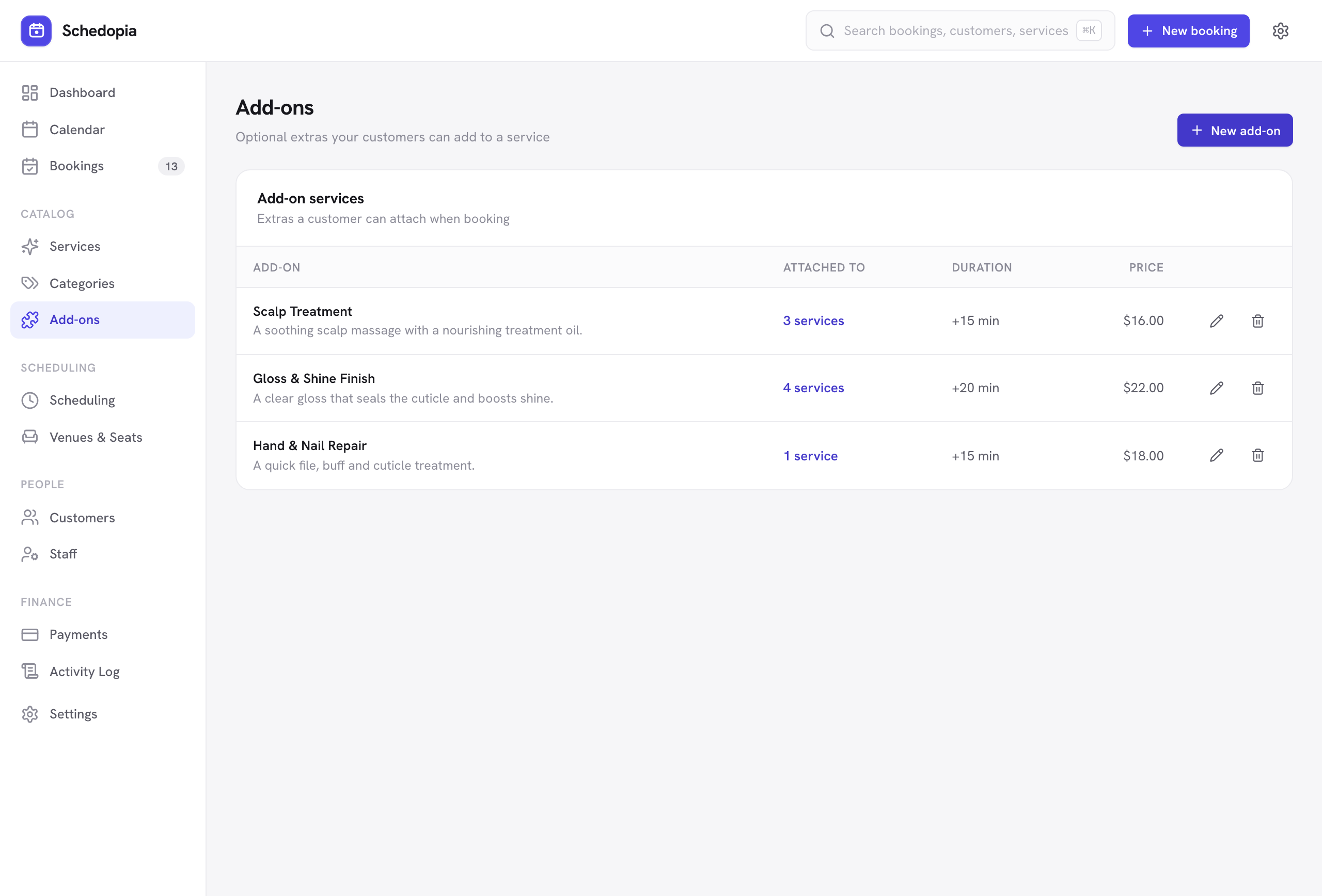
Add-ons are optional extras attached to a service — a scalp treatment with a haircut, a gloss finish with a color. Each one carries its own price and its own duration, so choosing it extends both the bill and the time blocked on your calendar.
How they work
An add-on is itself a service. You create it like any other service (with a price and a duration), then attach it to the services it can accompany. A single add-on can be offered on several services.
- Create the add-on
Give it a name, a duration and a price — for example “Scalp Treatment,” 15 minutes, $16. - Attach it to services
On the Add-ons screen, under Attach to services, check the services that should offer it. You need at least one: since 1.5.3, Create add-on stops with “Choose at least one service for this add-on.” until you check one. - It appears while booking
Once a customer picks a service that has add-ons, an extras section appears before they choose a time.
Add-ons go one level deep. Since 1.5.3, an add-on can’t have add-ons of its own, and a service that already has add-ons can’t become one, so Attach to services only lists services that aren’t add-ons.
Why the duration matters
This is the part most booking plugins get wrong. When a customer adds a 15-minute add-on to a 60-minute service, Schedopia looks for a 75-minute opening — not a 60-minute one. A slot is only offered if the whole appointment genuinely fits, and the calendar blocks the real time taken.
If a customer selects an add-on after choosing a time, the available times refresh. A slot that fitted the base service but not the extended appointment simply disappears, so you can never end up double-booked by an add-on.
Prices are frozen at booking time
When a booking is created, the add-on’s name, price and duration are stored with that booking. Editing or deleting the add-on later never rewrites history: past bookings, totals and receipts stay exactly as they were.
Add-ons in the admin
Staff can select add-ons in the New Booking dialog, exactly as a customer would, and the booking details drawer lists the add-ons on any booking along with an itemized total. See Managing bookings.
Removing an add-on
Detaching an add-on from a service stops it being offered on new bookings. Existing bookings that included it keep it, with the price and duration they were made with.
Detaching an add-on from every service leaves the service itself in place. It drops off the Add-ons screen and shows on the booking form as a regular service. Detach add-on on the Add-ons screen does this in one step. To take it off the form too, open it on the Services screen and switch off Active, or delete it.