How Far in Advance Should Customers Be Allowed to Book?
An advance booking window decides how far ahead customers can book. How long to make yours, what a long one costs in no-shows, and how it works in WordPress.

In October a regular asks to book her Christmas color, and the booking form stops at the start of November. She means to come back to it, and by the time she does, December’s Saturdays have gone to whoever’s calendar was open. Meanwhile someone who booked a cut six weeks ago for today has long since forgotten it.
Both are advance booking window problems, at opposite ends. Open the calendar too short and regulars can’t book their next visit; open it too far and bookings land before the staff schedule is settled, at old prices, and get forgotten by the day.
Most owners set the window by what sounds generous. It’s better set by how far ahead your staff schedule and prices hold, and by how often your regulars come back. We build Schedopia, a free, self-hosted WordPress booking plugin, so we have a stake, but most of what follows applies whichever plugin you use. This post is about the far end of the calendar; for the near end, how late customers can book, see Booking Cutoff Times Explained.
What is an advance booking window?
An advance booking window is how far into the future customers can book online, such as two weeks or three months from today. Times beyond it aren’t offered on the booking form, though you can usually still book them yourself.
| Window | What goes wrong |
|---|---|
| Too short | Regulars can’t book their next visit before they leave; seasonal peaks fill on someone else’s calendar |
| Too long | Bookings made against a staff schedule you haven’t settled, at prices you’ve since changed, and forgotten by the day |
The window is independent of the minimum notice at the other end. A barber might take bookings up to ten minutes before the start and only a week ahead. A wedding hair stylist might need a week’s notice and open a year ahead.
How far ahead should customers be able to book?
The booking window should reach as far ahead as your staff schedule and prices are reliable, and no further, which for most small appointment businesses is two to six weeks.
A longer window has three costs. Staff schedules change, and a booking made against next quarter’s schedule is one you move by hand when someone books a vacation. Prices change, and an appointment booked in October at October’s price has to be honored in January. And people forget. A 2018 systematic review of no-show research in outpatient clinics (Dantas and others, Health Policy, checked on October 12, 2026) found that “the most commonly reported significant determinants of no-show were high lead time and prior no-show history”. Lead time there is the gap between booking and appointment. A salon isn’t a clinic, but forgetting works the same way in both.
A window that’s too short costs you too. Regulars who come every five or six weeks want to book the next visit before they leave, and seasonal peaks (Christmas, school proms, wedding season) fill weeks before they arrive. If the window doesn’t reach that far, those bookings go to whoever’s calendar does.
Starting points by type of business
The numbers in this table are starting points, not research. Use them for the first month, then adjust: if bookings bunch up at the far edge of the window, open it further; if far-off bookings keep needing to be moved, close it in.
| Business | Booking window | Why |
|---|---|---|
| Barber, walk-in salon | 1 to 2 weeks | Short jobs and same-day demand; regulars rebook every few weeks |
| Hair salon with color | 4 to 6 weeks | Regulars rebook every 5 to 8 weeks |
| Massage, beauty therapist | 2 to 4 weeks | Courses of treatment booked a few sessions ahead |
| Clinic, consultant | 4 to 12 weeks | Follow-ups booked at the end of each visit |
| Tutor, coach | 2 to 4 weeks | Terms and class schedules change |
| Mobile service | 2 to 4 weeks | Routes planned a week or two out |
Reminders matter more as the window grows
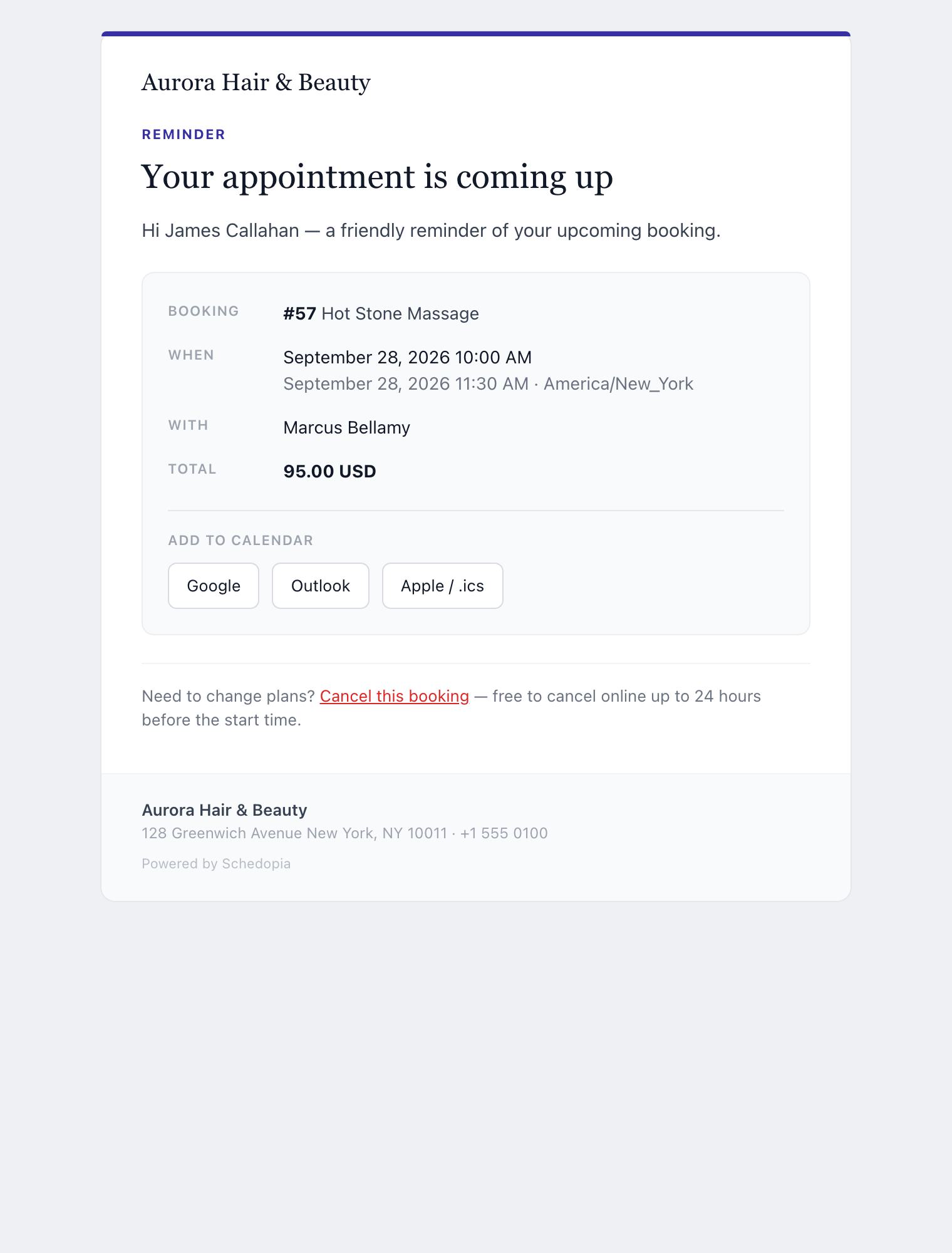
A reminder email matters more the further ahead a booking is made, because the customer has had longer to forget it. A booking made yesterday for tomorrow barely needs one; a booking made five weeks ago does.
Schedopia sends one reminder per confirmed booking, 24 hours before by default, and you can move it anywhere from 1 to 168 hours ahead under Settings → Notifications. A booking made inside the reminder lead time gets its reminder at Schedopia’s next hourly check, so a customer who books at 8:00 PM for 10:00 AM receives the confirmation and the reminder within about an hour of each other.
How the booking window works in Schedopia
Schedopia’s advance booking window is fixed at two weeks: the booking form offers today and the next 14 days, and there’s no setting to change it, as of version 1.5.1.
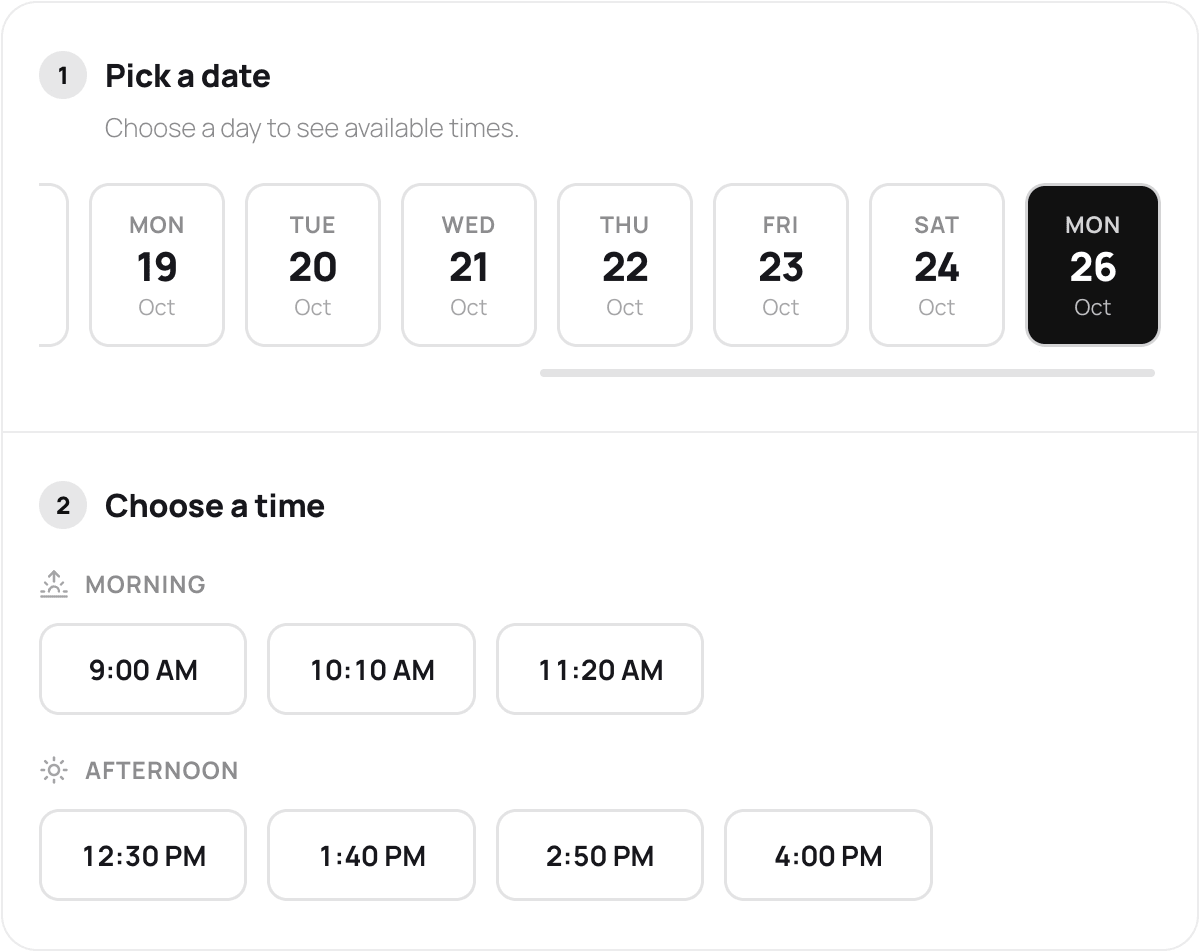
Days with no free times, including days the business is closed or fully booked, are left out of the date strip, so it can show fewer than 15 dates. The window rolls forward a day at a time; there’s no “open the whole of next month on the 1st.”
Bookings you add yourself are not limited by the window. New booking in the admin takes any date, so a regular who wants their next appointment in six weeks can book it at the desk before they leave. For the other rules that shape which times are offered, see Scheduling in the docs.
What Schedopia won’t do yet
Schedopia covers the near end of the calendar with a minimum notice setting, and the far end only partly, as of version 1.5.1.
- No booking window setting. Every business gets two weeks. A salon whose regulars rebook every six weeks has to enter the next appointment from the admin, and a business that wants only one week open can’t close the second.
- One window for every service. A wedding trial and a bang trim open the same two weeks ahead.
- One reminder per booking. There’s no second reminder a week out for appointments booked well in advance.
If your customers book months ahead, for weddings, events or long courses of treatment, a tool with a configurable booking window will suit you better today.
Where to start
Today, look at how often your regulars come back. If it’s longer than your booking window, decide how they’ll book the next visit: at the desk from the admin, or online once the date comes into range. Then check Settings → Notifications and make sure the reminder is on, because the further ahead people book, the more it does. For how the window fits with the rest of an appointment system, see the complete guide to WordPress appointment booking.
Frequently Asked Questions
What is an advance booking window?
An advance booking window is how far into the future customers can book online, such as two weeks or three months from today. Times beyond the window aren't offered on the booking form.
How far ahead should customers be able to book?
Two to six weeks suits most small appointment businesses. Open the calendar as far as your staff schedule and prices are reliable, and far enough for regulars to book their next visit, but not so far that bookings are forgotten by the day.
Do appointments booked far in advance have more no-shows?
Often, yes. A 2018 review of no-show research in outpatient clinics found a long lead time, the gap between booking and appointment, among the most commonly reported causes. That is the case a reminder email before the appointment is for.
How far ahead can customers book with Schedopia?
Two weeks. As of version 1.5.1, Schedopia's booking form offers today and the next 14 days, and there's no setting to change that. Appointments further out can be entered by you from the admin.
Can I book a customer further ahead than the booking window?
Yes. In Schedopia the 14-day window only limits the public booking form. New booking in the admin takes any date, so a regular can book their next visit at the desk before they leave.
Is the booking window the same as minimum notice?
No. The booking window sets how far ahead customers can book; minimum notice sets how close to the start time they can still book. Most businesses need both, and they're chosen for different reasons.