10 Benefits of Online Booking Systems for Small Businesses
The benefits of online booking go past convenience: fewer calls mid-appointment, no double bookings, fewer no-shows and records you can use. Ten, with the limits.

The phone rings while you’re halfway through a color. You can let it ring and maybe lose the booking, or stop, peel off your gloves and spend four minutes finding a time for someone who isn’t sure which day they’re free. When owners weigh the benefits of online booking, they usually picture the customer’s side of that call: booking at midnight without calling anyone.
That side is real, but it’s the smaller half. Most of the benefits land on the business: fewer calls during paid work, no slot promised to two people, reminders that go out without anyone remembering to send them, and a record of every booking. Owners who decide “my customers prefer to phone” are usually judging online booking on the half that matters less.
We build Schedopia, a free, self-hosted WordPress booking plugin, so we have a stake, but this post is about online booking in general. It’s for businesses still booking by phone, text, Instagram message or a paper appointment book and deciding whether to switch: ten benefits, what online booking won’t fix, and how to try it without giving up the phone. If you’ve already decided and want the set-up, the complete guide to WordPress appointment booking covers it.
What is an online booking system?
An online booking system is software that shows customers your free appointment times and lets them book one themselves, on your website or a booking page, without calling or messaging you. It holds your services, how long each one takes, who does them and when they work, and offers only the times that fit. Bookings land in a schedule you and your staff share, and the customer gets a confirmation by email.
The 10 benefits of online booking
The benefits of online booking start with customers, who can book whenever suits them, and end with the business, which spends less time on the phone and gets records it can use. Here are the ten that matter most to a small business that sells appointments.
1. Customers can book when you’re closed
Customers book when they’ve stopped work for the day, which is usually when you have too. Phorest, a salon software company, looked at bookings across more than 5,000 salons and spas and found that 46% were made while the business was closed, 28% in the evening and 18% in the morning before opening (reported by HJI in June 2019, checked on October 29, 2026). That’s a vendor’s figure about its own customers, not an independent survey, but the pattern holds for anyone who books a haircut from the sofa.
A customer who has to wait until 9:00 AM to phone has all night to find somewhere that will let them book now.
2. The phone stops interrupting paid work
Every routine booking that goes online is a call you don’t take in the middle of an appointment. If a booking call takes four minutes and you take fifteen a day, that’s an hour of phone time, most of it while a paying customer waits in the chair.
The phone doesn’t go away. It keeps the calls that need a person, such as “can you fix a color another salon did?”, and loses the ones that are only “do you have anything Thursday?”
3. No back-and-forth to find a time
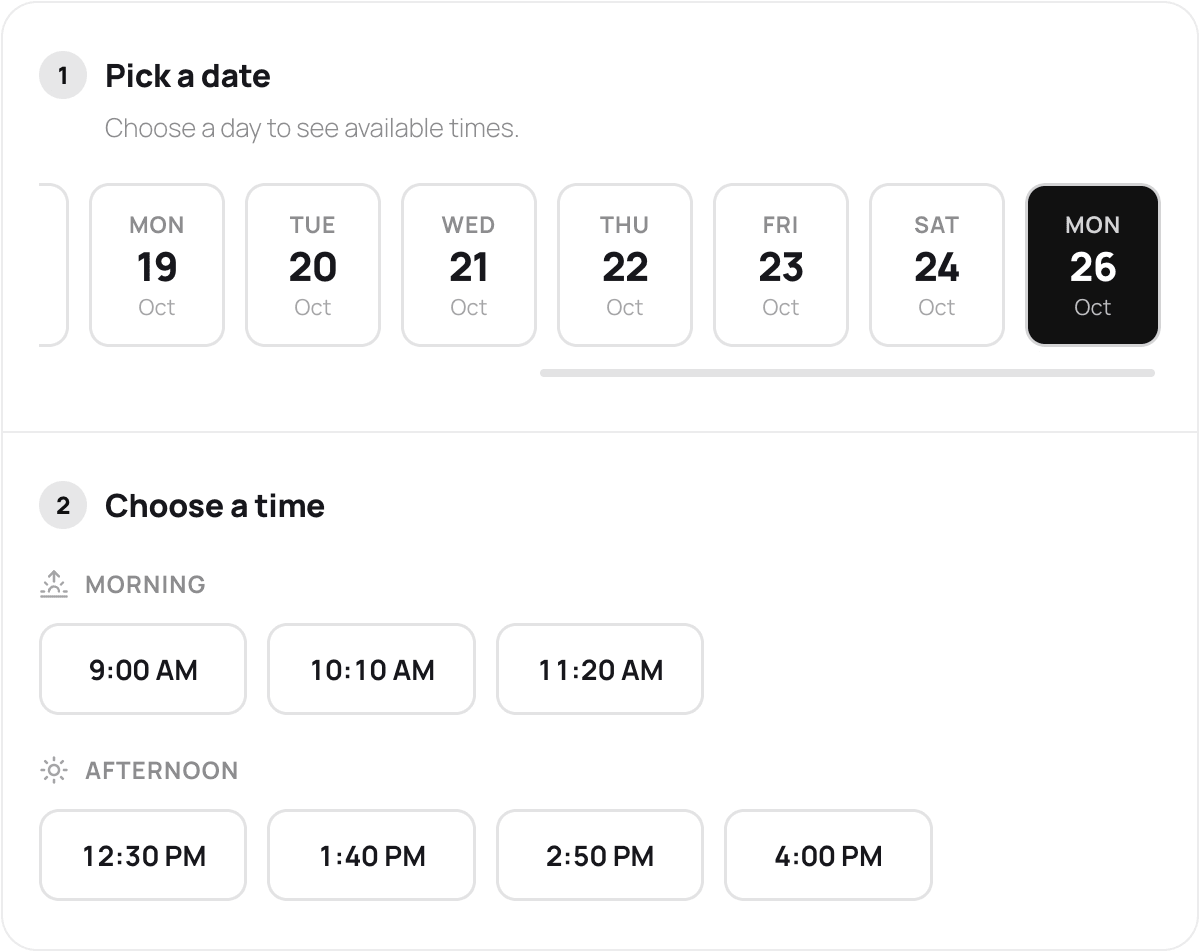
A customer who can see your free times picks one, instead of trading messages until a time fits. Over text or Instagram, one appointment can take six messages across a day, and the time you offered at 10:00 AM may be gone by the time they reply at 4:00 PM.
4. Double bookings stop
An online booking system checks the schedule at the moment a booking is made, so two customers can’t be promised the same slot. Double bookings happen when there’s more than one place to book: the paper appointment book at the desk, the phone in someone’s pocket and the Instagram inbox. One person says yes to 2:00 PM on the phone while another says yes to it by message, and you find out when both customers arrive.
5. Fewer no-shows
Automatic reminders reduce no-shows by catching the customers who simply forgot. A 2013 Cochrane review of seven studies with 5,841 people found attendance of 78.6% when patients got a text-message reminder, against 67.8% with no reminder (checked on October 29, 2026). Those were healthcare appointments and text messages, and the reviewers rated the evidence moderate, but the mechanism is the same for a massage: people turn up to what they remember.
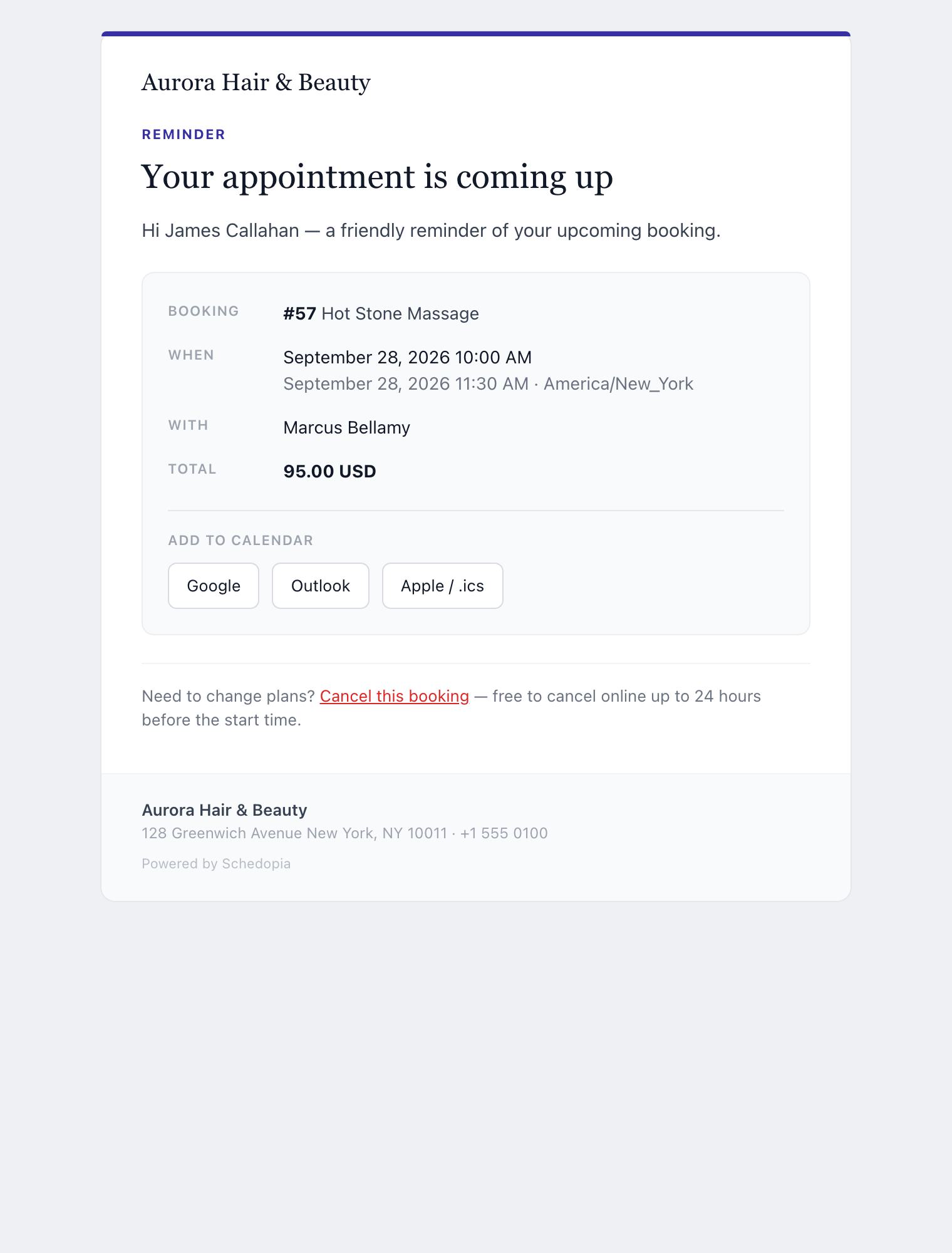
A reminder you send by hand works too, until the week you’re busy enough to forget it. A booking system sends one for every appointment, and most add buttons that put the appointment in the customer’s own calendar.
6. Cancellations come back as bookable time
When customers can cancel online, the slot goes back on sale straight away instead of sitting empty. A customer who has to phone to cancel often doesn’t, so the appointment turns into a no-show. A cancel link in the confirmation email, with a cut-off such as 24 hours before, lets them cancel while there’s still time for someone else to book. Booking Cutoff Times Explained covers how to set that cut-off so it agrees with how late people can book.
7. Customer details arrive right first time
Customers type their own name, email address and phone number, so nobody is reading back a number they misheard over a hairdryer. They also pick the service themselves, which sets the length of the appointment: a two-hour color can’t be squeezed into a 30-minute gap because someone wrote “color?” in the appointment book.
8. Prices and policies are agreed before the visit
An online booking form shows the price and the length of each service, and can ask the customer to accept your cancellation policy, before they book. That moves the awkward conversations (“I thought it was $40,” “nobody told me about the cancellation fee”) from the front desk to the booking form, where the customer reads them at their own pace.
9. Everyone works from one schedule
With online booking, the schedule on the screen is the only schedule, so staff stop asking each other who’s in at 3:00 PM. Every booking, whether the customer made it online or you took it by phone, lands in the same place, and each member of staff can see their own day on their phone before they arrive.
10. You can see your business in numbers
Every online booking is a record, so questions like “which service sells best?”, “how many new customers did we get this month?” and “when was she last in?” have answers. A paper appointment book holds the same information, but nobody adds it up. A booking system counts bookings, cancellations and new customers for you, and keeps each customer’s history in one place.
Will customers actually book online?
Many customers will book online, and none of them has to. Online booking takes the routine calls off the phone; it doesn’t take the phone away. Keep your number on the booking page for customers who’d rather talk, and enter their bookings yourself into the same schedule, so a phone booking and an online one can never land on the same slot.
Some work doesn’t fit a form at all. A wedding trial, a color correction or a job that needs a quote starts with a conversation. Offer a consultation as a bookable service, or leave those as “call us” and put everything routine online.
What online booking won’t fix
Online booking removes friction around bookings you’d get anyway. It won’t fix a shortage of customers, and it brings a few jobs of its own.
- It doesn’t create demand. A booking form turns interest into appointments faster. If nobody is looking for you, it has nothing to turn.
- It’s only as good as your hours. A system that doesn’t know about your vacation or your Tuesday lunch break will sell those times. Someone has to keep it up to date.
- It’s a set-up job. Expect an afternoon to enter your services, how long each takes, who does them and when they work, and then a test booking. The emails have to arrive, too; How to Add Appointment Booking to WordPress covers the checks that quietly break that.
- No-shows don’t go to zero. Reminders catch forgetting. A customer who doesn’t care will still not turn up, and a deposit is the stronger fix where your system can take one.
- Hosted services cost money every month. Most charge a monthly fee or a fee per booking and keep your customer list on their servers. The case for self-hosted booking weighs that up.
How Schedopia covers these benefits
Schedopia is a free WordPress plugin, so the booking form, the schedule and the customer records all live on your own website, with no per-booking fees. As of version 1.5.1, here is how it handles each benefit:
| Benefit | In Schedopia |
|---|---|
| Book when you’re closed | The [schedopia_booking] form on any page of your WordPress site |
| No back-and-forth | Only free times for the chosen service and staff member are offered |
| No double bookings | Each booking is re-checked against the schedule as it’s saved, including two customers taking the same slot at once |
| Fewer no-shows | An email reminder 1 to 168 hours before (24 by default), with Google, Outlook and Apple calendar buttons |
| Cancellations free the slot | A cancel link in the emails, with a cut-off you set; the time is bookable again at once |
| Right details | Customers type their own; signed-in customers find theirs already filled in |
| Prices and policies | Each service shows its price and length; the form can link your cancellation policy page |
| One schedule | A calendar by day, week or month for all staff, logins that show staff their own bookings, and a feed for Google, Outlook or Apple Calendar |
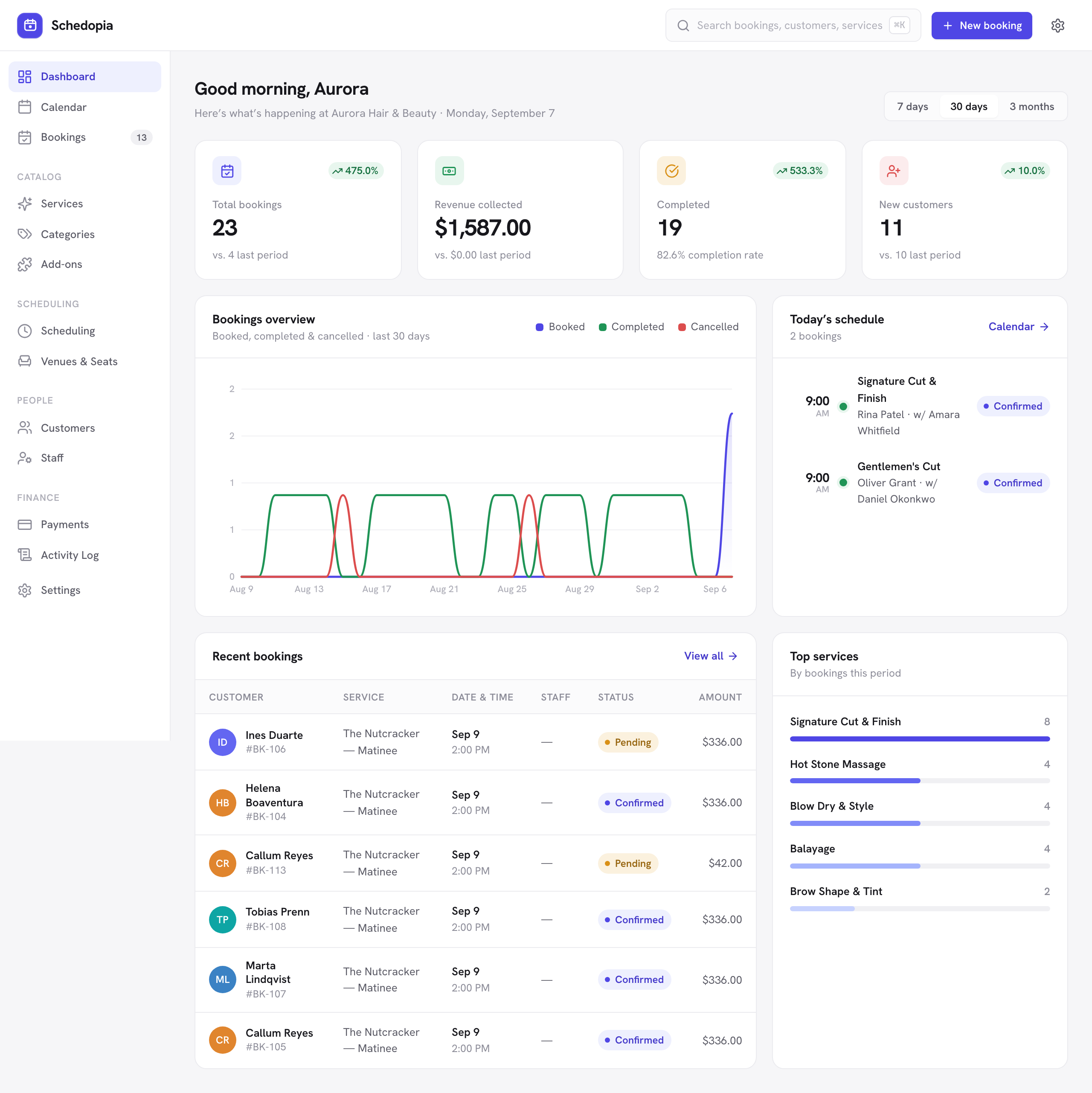
| Numbers | A dashboard with bookings, revenue collected, completion rate, new customers and top services, plus customer histories and a CSV export |
Bookings you take by phone go in through New booking in the admin and get the same availability check as the form.
Schedopia doesn’t do everything on the list as well as a paid service might. There’s no online card checkout, so it can’t take deposits online; that is planned for Schedopia Pro, which isn’t on sale yet. Reminders are email only, with no SMS. There are no recurring bookings, and the calendar feed is one-way: it shows Schedopia bookings in your calendar app, but a dentist appointment you add in Google won’t block a slot. If deposits or text reminders are the reason you’re switching, a tool that has them will suit you better today.
Where to start
Today, keep a tally of every booking call and message you handle: how long each took, and whether it came while you were with a customer or after you’d closed. If the total is more than half an hour, online booking will give you that time back. To try it on your own WordPress site with your phone number still on the page, take your first booking in ten minutes walks through it from install to test booking.
Frequently Asked Questions
What are the benefits of online booking for a small business?
Customers can book at any hour without calling, and the business stops losing time to booking calls. The main benefits are fewer interruptions, no back-and-forth over times, no double bookings, fewer no-shows thanks to reminders, cancellations that free the slot, accurate customer details, prices and policies agreed up front, one shared schedule and records you can learn from.
Does a small business need an online booking system?
Not always. If you take a handful of bookings a week and rarely miss a call, a phone and an appointment book work. Once booking calls interrupt paid work, or more than one person manages the schedule, online booking saves more time than it takes to set up.
Will older customers use online booking?
Some won't, and they don't have to. Keep your phone number on the booking page and enter phone bookings yourself, into the same schedule, so online and phone bookings can't clash.
Does online booking reduce no-shows?
Yes, mainly through automatic reminders. A 2013 Cochrane review of healthcare appointments found attendance of 78.6% with text-message reminders against 67.8% with none. Reminders don't bring no-shows to zero; deposits are the stronger fix where your system supports them.
Can I still take bookings by phone if I use online booking?
Yes. Most booking systems let you add bookings yourself from the admin. Schedopia checks those against the same schedule as online bookings, so a phone booking can't take a slot someone has just booked online.
Is an online booking system expensive?
Not necessarily. Hosted booking services usually charge a monthly fee or a fee per booking. A self-hosted WordPress plugin such as Schedopia is free, with no per-booking fees, but it runs on your own website, which you have to look after.
Does Schedopia take online payments or deposits?
No. As of version 1.5.1, Schedopia records payments you take in person but has no online card checkout, so it can't take deposits online. Online payment is planned for Schedopia Pro, which isn't on sale yet.